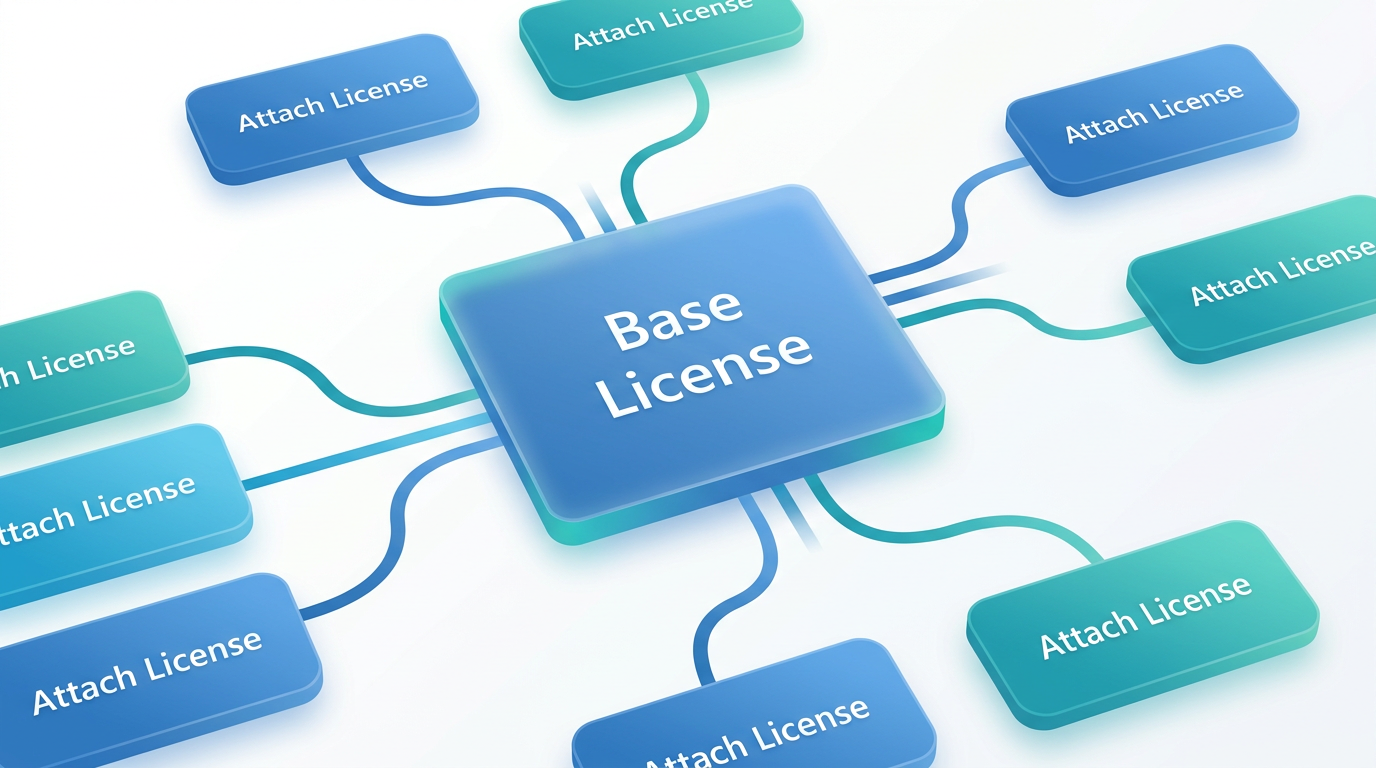
🧩 The Core Concept: What is Dynamics 365 Base + Attach Licensing?
Microsoft Dynamics 365 has evolved significantly from its earlier, more bundled licensing structures. Before 2019, organizations often purchased plans like the 'Customer Engagement Plan,' which provided access to a suite of applications under a single, monolithic license. While simple, this model often meant paying for applications that many users never touched. In response, Microsoft shifted to a more granular, à la carte licensing model designed to offer greater flexibility and cost control: the Base + Attach model.
This model is fundamental to modern Dynamics 365 licensing. It redefines how organizations purchase and assign access to core business applications. The concept rests on two license types:
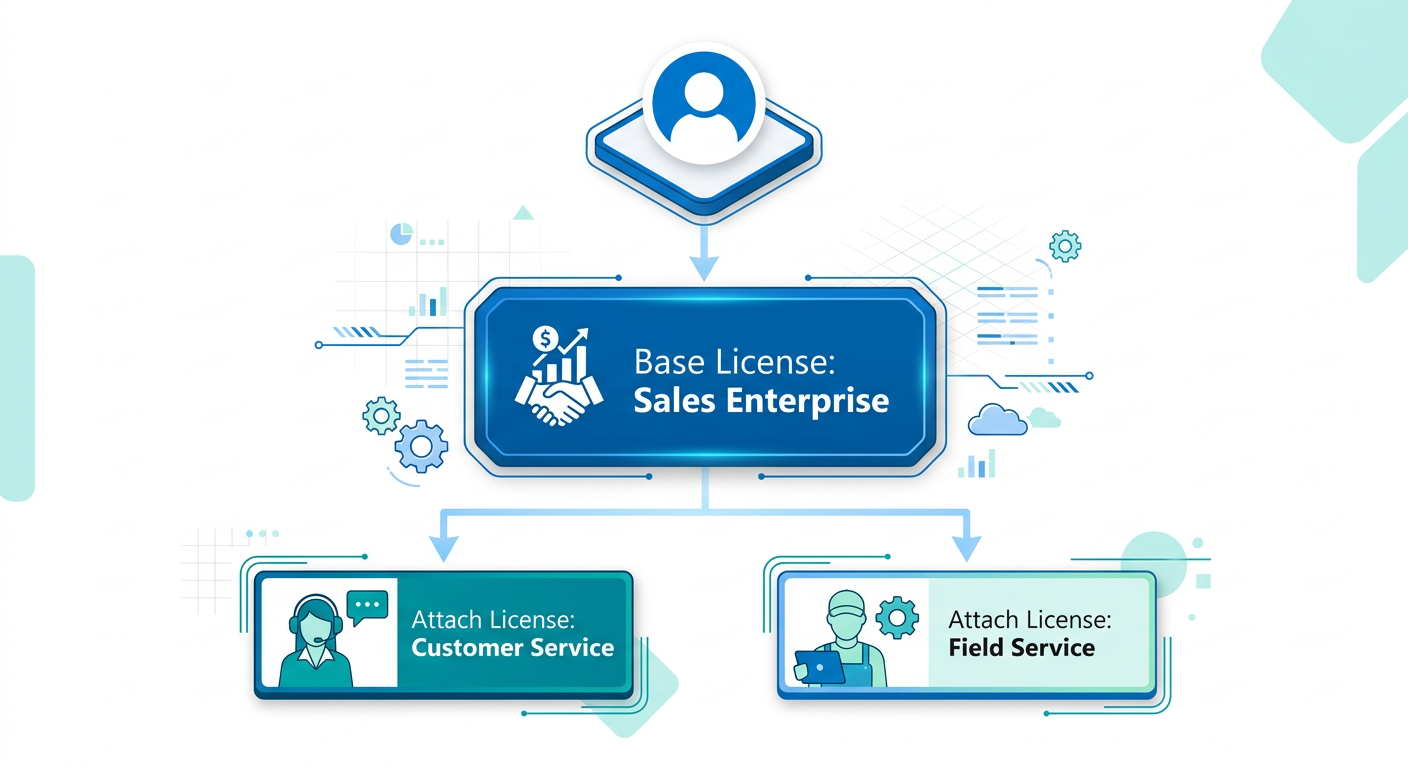
- Base License: This is the first, primary license assigned to a user. It is purchased at full price and grants the user full access to one core Dynamics 365 application that constitutes their primary job function. For example, a salesperson's primary role is selling, so their Base license would likely be Dynamics 365 Sales Enterprise. A user can only have one Base license.
- Attach License: This is a subsequent, deeply discounted license that can only be assigned to a user who already has a qualifying Base license. It grants full access to an additional core application that supports a secondary part of their role. For instance, if that same salesperson also handles post-sale support issues, you could add a Dynamics 365 Customer Service Enterprise license as an 'attach' license for a fraction of the cost of a second base license.
Think of it like an airline ticket. The Base license is your main flight to your primary destination. An Attach license is like a heavily discounted connecting flight to a second city on the same itinerary—you can't buy the connecting flight ticket on its own; it must be attached to the primary journey.
The primary driver for this model is economic efficiency. It acknowledges that modern employees often wear multiple hats and interact with different business processes. Instead of forcing organizations to buy multiple full-price licenses for one person, the Base + Attach model allows you to build a comprehensive set of capabilities for a user in a much more cost-effective way. This modular approach ensures organizations only pay the premium price for a user's primary function, while still enabling cross-functional capabilities at a lower cost point.
✅ Qualifying Licenses: Which Apps Can Be Base and Attach?
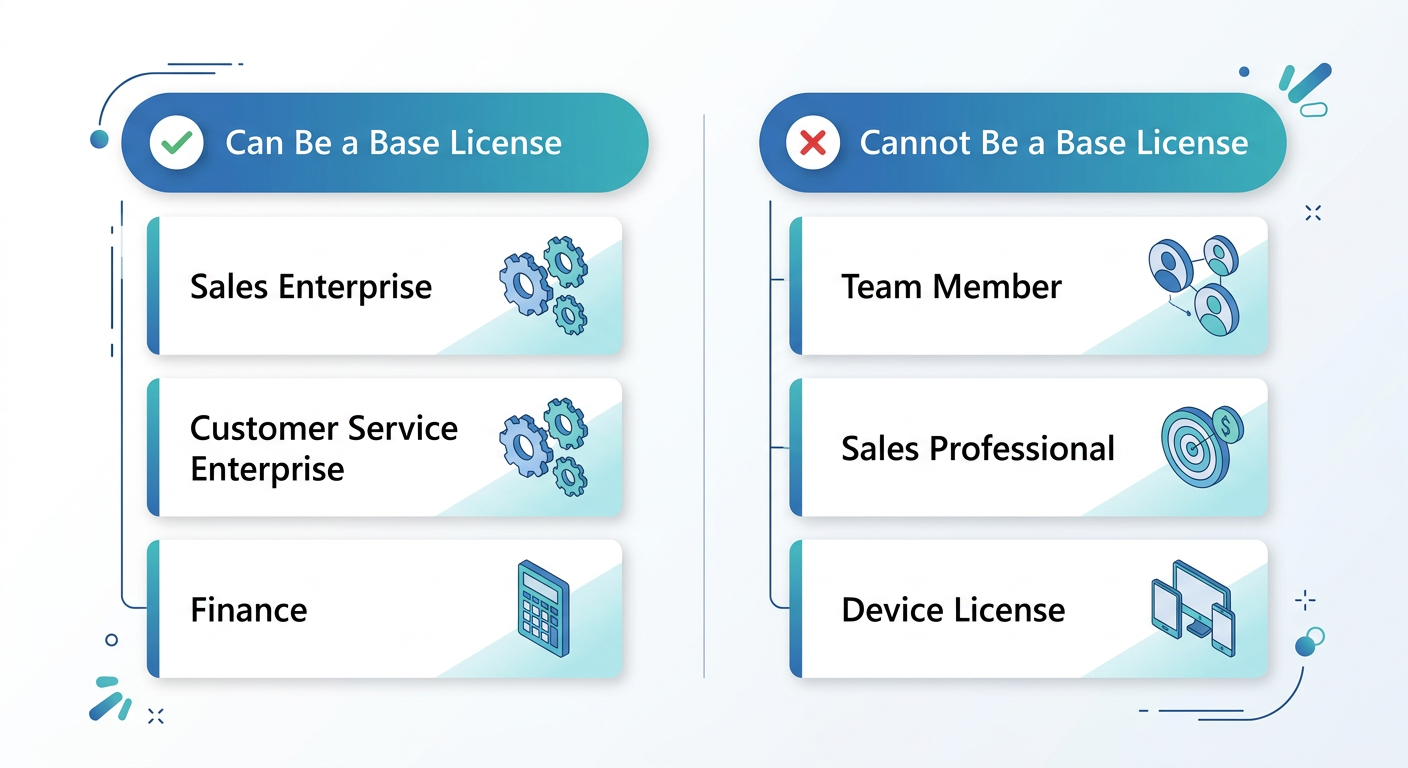
A critical aspect of the Base + Attach model is understanding which Dynamics 365 applications are eligible to participate. Not every license can be a Base, and the rules are designed to ensure the model's economic integrity. The fundamental principle is straightforward: the first and most expensive qualifying license a user needs for their role must be the Base license.
Generally, the higher-tier 'Enterprise' or premium Dynamics 365 applications are the ones that qualify as a Base license. These licenses provide the most comprehensive functionality within their domain. As of the latest licensing guides, the list of applications that can be purchased as a Base License includes:
- Dynamics 365 Sales Enterprise
- Dynamics 365 Customer Service Enterprise
- Dynamics 365 Field Service
- Dynamics 365 Project Operations
- Dynamics 365 Finance
- Dynamics 365 Supply Chain Management
- Dynamics 365 Commerce
- Dynamics 365 Human Resources
Once a user is assigned one of the above licenses as their Base, you can then purchase a qualifying Attach license from a similar list. For example, if your Base license is D365 Finance, you could attach D365 Supply Chain Management, or vice versa. The key restriction is that you cannot have a more expensive application as an Attach license to a less expensive Base license; the system enforces that the highest-priced license is always the Base.
What About Other License Types?
It's important to differentiate the Base + Attach model from other license types within the Dynamics 365 ecosystem, as they serve different purposes and are not interchangeable.
- Team Member Licenses: These are low-cost licenses for users who need only light access across multiple applications. This typically includes reading data, running reports, entering their own timesheets, or performing explicitly defined, limited tasks. A Team Member license cannot be a Base license, nor can it be attached. It exists entirely outside of this model and is meant for information consumers, not functional business users.
- Device Licenses: Some Dynamics 365 applications offer device-based licensing, where a license is assigned to a physical device that multiple users might share (e.g., a warehouse scanner or shop floor terminal). These are also separate from the user-based Base + Attach model.
- Professional Licenses: Certain applications, like Dynamics 365 Sales Professional or Customer Service Professional, are streamlined versions of their Enterprise counterparts. These 'Pro' licenses are typically priced lower and have reduced functionality. They cannot serve as a Base license to attach an Enterprise-level application. They exist as a standalone option for organizations with simpler needs.
The Golden Rule: One Base license per user. Multiple Attach licenses are allowed. Always verify prerequisites in the official Microsoft Dynamics 365 Licensing Guide before purchasing.
💡 Practical Scenarios & Cost Implications
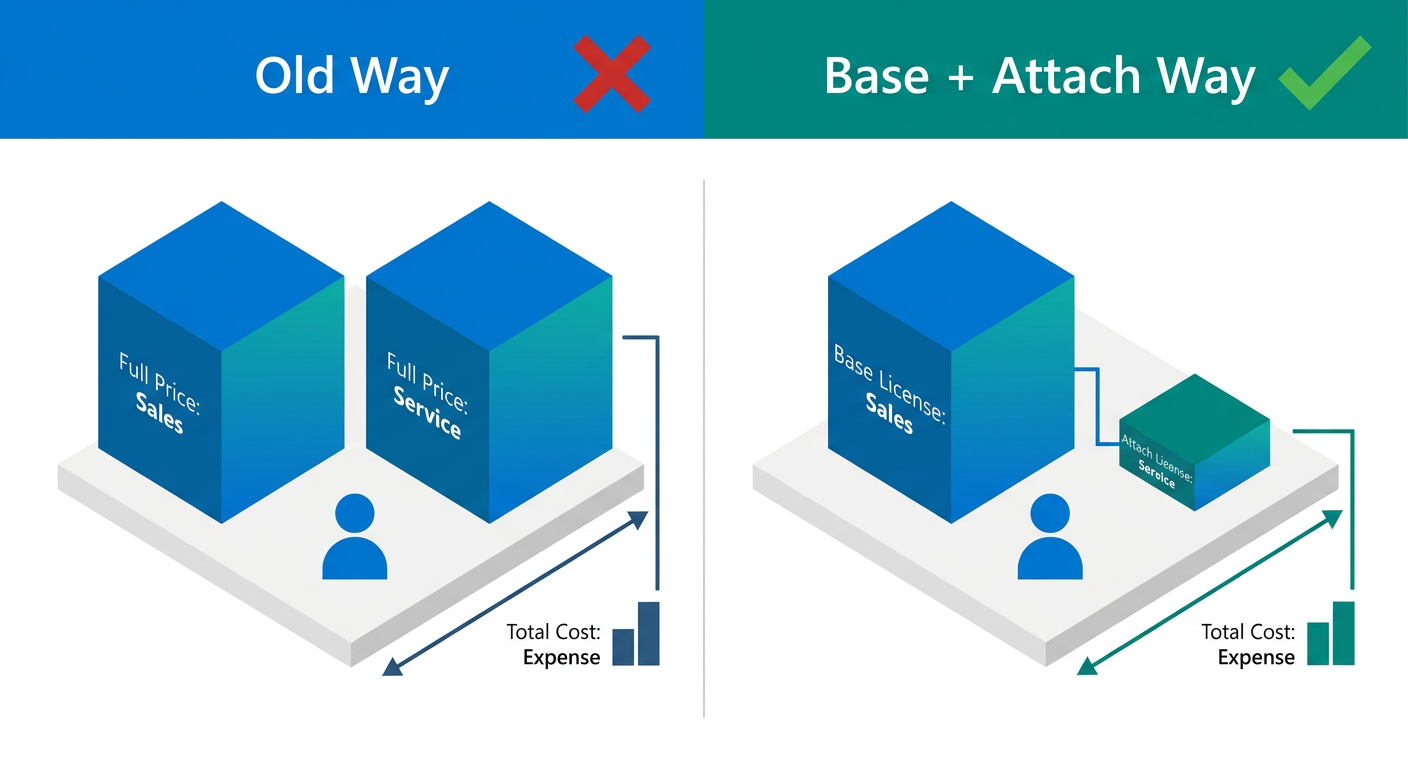
The true value of the Base + Attach model becomes clear when applied to real-world user roles. Moving from theory to practice requires a thorough analysis of what your employees actually do day-to-day. Let's explore a few common personas to illustrate the model's cost-saving potential. Note that while we won't discuss specific prices, an Attach license typically costs between 70-80% less than its full-price Base equivalent.
Persona 1: Maria, the Cross-Functional Team Lead
- Primary Role: Managing the customer support team, handling escalations, and analyzing service metrics. Her main tool is Dynamics 365 Customer Service Enterprise.
- Secondary Role: She also works closely with the sales team to identify upsell opportunities from support tickets and needs to manage and qualify leads generated by her team.
- Licensing Strategy:
- Base License: Dynamics 365 Customer Service Enterprise. This covers her primary, most intensive workload.
- Attach License: Dynamics 365 Sales Enterprise. This gives her full access to the sales application to manage leads and opportunities, all at a significantly reduced cost.
- The Savings: Without this model, the organization would have to purchase two full-price Enterprise licenses for Maria. By using the attach model, they fulfill her complete functional needs while saving a substantial amount on the second application.
Persona 2: David, the Operations Director
- Primary Role: Overseeing the company's end-to-end supply chain, from inventory and warehousing to procurement. His world lives inside Dynamics 365 Supply Chain Management.
- Secondary Role: David also has P&L responsibility for his division and needs deep access to the company's financial ledgers, budgeting, and financial reporting tools.
- Licensing Strategy:
- Base License: Dynamics 365 Supply Chain Management. This is the more expensive of the two apps he needs and where he spends most of his time.
- Attach License: Dynamics 365 Finance. This provides the necessary financial oversight capabilities.
- The Savings: This is a classic ERP scenario where roles are deeply interconnected. The Base + Attach model is purpose-built for this, preventing the massive expense of doubling up on two of the most powerful and expensive applications in the suite.
Critical Insight: The success of this model hinges entirely on accurate role assessment. Before you enter a purchase agreement, conduct workshops with department heads. Map user functions to specific application capabilities. Mis-assigning the Base license—or buying an Attach license for functionality a user doesn't truly need—is the easiest way to waste your budget.
📊 Base vs. Attach: A Side-by-Side Comparison
To clarify the distinct roles and rules of each license type, a direct comparison is often helpful. The table below breaks down the key attributes of Base, Attach, and (for contrast) Team Member licenses. Understanding these differences is crucial for making informed procurement decisions and ensuring compliance.
⚠️ Common Pitfalls and Licensing Gotchas
While the Base + Attach model is designed for flexibility and savings, its rules-based nature creates several potential pitfalls for unwary organizations. Navigating Dynamics 365 licensing requires careful planning to avoid common mistakes that can lead to non-compliance, unexpected costs, or shelfware—software that is paid for but not used.
Gotcha 1: Choosing the Wrong Base License
This is the most common and costly error. The official rule states that if a user requires access to multiple applications, the license for the highest-priced application they need must be the Base license. For example, imagine a user needs both Customer Service Enterprise and Sales Enterprise. An admin might mistakenly purchase Customer Service Enterprise as the Base and attempt to attach Sales Enterprise. If Sales Enterprise has a higher full price, this configuration is invalid. You would be forced to purchase Sales Enterprise at full price anyway, completely negating any potential attach-discount savings. Always verify the standard pricing of the apps you need before assigning the Base.
Gotcha 2: Underutilizing Team Member Licenses
At the other end of the spectrum, organizations sometimes over-license users who only need minimal system access. A manager who only needs to view dashboards, approve reports, or read customer accounts does not need a full Base license. Assigning an expensive Enterprise license to such a user is a significant waste. For these 'light use' scenarios, the Team Member license is the most cost-effective solution. It is crucial to identify this user segment in your organization, as they can represent a large portion of your user base who need access to data but not full functional capabilities.
Gotcha 3: Ignoring Included Cross-App Functionality
Dynamics 365 is an integrated suite. Many applications have built-in capabilities to view or interact with data from other parts of the system without requiring a separate license. For instance, a user with a Sales Enterprise license can already see customer service cases linked to their accounts. You would not need to buy a Customer Service Attach license just for that 'read-only' visibility. Before purchasing an Attach license, thoroughly investigate whether the required functionality is already included as part of the Base license's 'cross-app' capabilities. The official Microsoft Licensing Guide provides detailed tables on these included rights.
Gotcha 4: Failing to Audit and Re-evaluate User Roles
Licensing is not a 'set it and forget it' activity. Employee roles change. An employee might move from a service role to a sales-focused position, or their responsibilities might expand to include project management. A static licensing plan will quickly become inefficient. Best practice is to conduct regular audits (quarterly or semi-annually) of license assignments versus actual usage. If a user's primary function changes, you may need to re-designate their Base license at the next contract renewal to maintain cost-efficiency.
🔐 Implementation & Governance Strategy
Successfully leveraging the Dynamics 365 Base + Attach licensing model requires more than just understanding the rules; it demands a structured governance strategy. A proactive approach to licensing will minimize costs, ensure compliance, and maximize the return on your investment in the platform. A reactive approach, where licenses are purchased ad-hoc by different departments, almost always leads to overspending and audits.
Here is a step-by-step framework for implementing a robust Dynamics 365 licensing strategy in your organization:
- Conduct a User Persona & Functionality Workshop: Before a single license is purchased, gather stakeholders from every relevant department (Sales, Service, Operations, Finance, etc.). The goal is to define 3-5 key user 'personas' in your organization. For each persona, document their primary, secondary, and tertiary job functions. What do they need to do in the system? Be specific (e.g., 'Create sales quotes,' 'Approve purchase orders,' 'Dispatch technicians,' 'View executive dashboards').
- Map Personas to D365 Applications: With your persona functions defined, map them directly to Dynamics 365 applications. This will reveal the required license for each persona. Designate the primary application as the Base and others as potential Attaches. This mapping exercise is the single most important step for cost optimization.
- Consult the Official Licensing Guide (The Source of Truth): Before finalizing any decision, download the latest version of the official Microsoft Dynamics 365 Licensing Guide. This document is the ultimate arbiter of licensing rules, qualifying applications, and usage rights. Treat it as your legal reference. Rules can and do change, so never rely on old information or third-party summaries alone.
- Centralize Procurement and Assignment: License purchasing and assignment should be managed by a central body, typically the IT department or a dedicated procurement team. Decentralized purchasing leads to chaos, with departments buying duplicative or incorrect licenses. A central authority ensures that every license purchase aligns with the established governance strategy and that the Base + Attach model is applied correctly.
- Implement Regular Audits and Usage Monitoring: Your licensing plan is a living document. Use the tools within the Microsoft 365 Admin Center or third-party asset management software to monitor actual application usage. Schedule quarterly or bi-annual reviews to compare assigned licenses against actual usage data. Are there users with Base licenses who only log in once a month? They might be candidates for a Team Member license. Are there users who constantly need access to an app they aren't licensed for? Their role may have evolved, requiring an Attach license.
- Plan for Scalability and Change: Your business will change, and your licensing model must be agile enough to adapt. Build your procurement plan, whether through an Enterprise Agreement (EA) or a Cloud Solution Provider (CSP), with future growth in mind. Anticipate how new hires, promotions, and departmental shifts will impact your license count and composition.
By treating licensing as a strategic, ongoing process rather than a one-time purchase, you transform it from a necessary expense into a competitive advantage, ensuring your team has the exact tools they need to succeed without breaking the budget.
📊 Comparison
| Attribute | Base License | Attach License | Team Member License |
|---|---|---|---|
| Purpose | Primary user function; grants full access to one core application. | Secondary user function; grants full access to an additional application. | Light tasks and data consumption across multiple applications. |
| Prerequisite | None. This is the first license a user gets. | A qualifying Base License must already be assigned to the user. | None. It is a standalone license type. |
| Cost Model | Full price. | Deeply discounted from the full price. | Low, fixed price. |
| Number Per User | Strictly one. | One or more. | One (cannot be combined with Base/Attach). |
| Typical Use Case | A sales manager whose primary job is in D365 Sales. | The same sales manager who also needs to manage service escalations in D365 Customer Service. | An executive who only needs to view sales dashboards and approve expense reports. |
| Full Application Access | Yes, for the licensed application. | Yes, for the licensed application. | No, usage rights are restricted to a specific list of tasks. |
| Data Access | Full Create, Read, Update, Delete (CRUD) rights within the app. | Full CRUD rights within the app. | Primarily Read access across apps, with very limited write/update capabilities. |