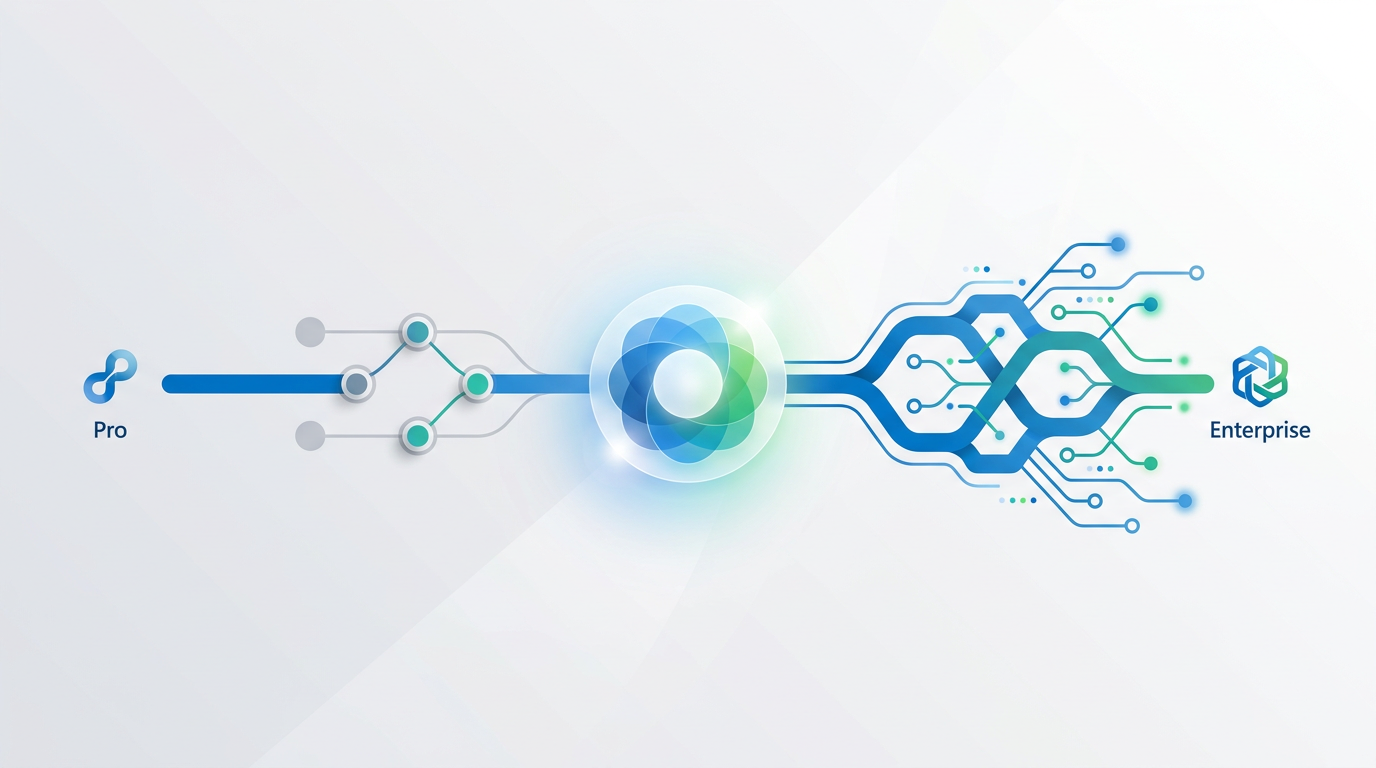
Foundational Development Experience: The Core IDE
At its core, Visual Studio is a world-class Integrated Development Environment (IDE), and both the Professional and Enterprise editions provide a complete and powerful platform for writing, editing, and building code. For the individual developer focused purely on day-to-day coding tasks, the experience between the two is remarkably similar, ensuring a consistent and productive workflow regardless of the version.
Both editions offer:
- IntelliSense and IntelliCode: AI-assisted code completion, parameter info, and quick info are standard. IntelliCode, which provides context-aware, whole-line completions, is available in both, significantly speeding up development.
- Broad Language Support: Whether you're developing in C#, C++, Python, F#, Node.js, or building web applications with ASP.NET, HTML, and JavaScript, both editions provide the same first-class language support and project templates.
- Standard Debugging Tools: The essential debugging experience—breakpoints, data tips, locals and watch windows, and the diagnostic tools window with CPU and Memory usage—is robust in both versions.
- Version Control Integration: Seamless integration with Git and Team Foundation Version Control (TFVC) is a core feature in both Pro and Enterprise, including the feature-rich Git tooling built directly into the IDE.
- Extensibility: The Visual Studio Marketplace offers thousands of extensions to customize and extend the IDE's functionality. Both editions support the same ecosystem of extensions.
For many solo developers or small teams, Visual Studio Professional provides everything needed to build, debug, and deploy sophisticated applications. The feature set is comprehensive and lacks nothing for core application development.
The divergence between Professional and Enterprise doesn’t happen at this foundational level. The choice becomes critical when development scales and the need for advanced diagnostics, rigorous quality assurance, and architectural consistency becomes paramount. The subsequent sections will explore these enterprise-grade features that are exclusive to the Enterprise edition.
📊 Advanced Debugging and Diagnostics

Beyond Standard Breakpoints
While Visual Studio Professional has excellent standard debugging tools, Visual Studio Enterprise takes diagnostics to a new level with features designed to solve complex, elusive bugs in large-scale applications. These tools allow developers to look both forward and backward in time, understanding the "why" behind an issue, not just the "what".
The flagship feature exclusive to Enterprise is IntelliTrace. Often described as a "time machine for your code," IntelliTrace records specific events and data during your application's execution. This allows you to:
- Debug Historically: Instead of having to restart a debugging session to understand how you reached a certain state, you can step backward through the recorded events (like function calls, exceptions, and database queries) to see the application's history.
- Analyze Production Issues: IntelliTrace can be used to collect data from applications running in production. A developer can then open this log file in Visual Studio Enterprise and debug the issue as if it were happening live on their machine, without needing to reproduce it.
- Minimize "No-Repro" Bugs: It significantly reduces the time spent trying to reproduce intermittent bugs by capturing the exact execution path that led to the fault.
Code Map and Dependency Visualizer
Another Enterprise-exclusive feature is Code Map. When debugging, you can use Code Map to visually trace the call stack. It creates a dynamic diagram that shows the relationships and dependencies between different methods, helping you understand the flow of complex code without getting lost. This is invaluable when navigating an unfamiliar or legacy codebase.
For organizations dealing with monolithic applications or intricate microservice architectures, the ability to visualize code execution and debug historical states is a powerful driver for adopting the Enterprise edition. These features can dramatically reduce the mean time to resolution (MTTR) for critical bugs.
Furthermore, Enterprise includes advanced snapshot debugging capabilities for Azure-hosted applications, allowing you to attach a debugger to a live production service without stopping it, capture a snapshot of its state when an exception occurs, and debug that snapshot offline. This is a crucial tool for maintaining high availability while diagnosing production failures.
✅ Comprehensive Testing Tools

The most significant differentiator between Visual Studio Professional and Enterprise lies in the suite of testing tools. While Professional includes essential unit testing frameworks and a test runner, Enterprise provides a comprehensive, integrated ecosystem for ensuring application quality at every stage of the software development lifecycle (SDLC).
Live Unit Testing
Exclusive to Enterprise, Live Unit Testing automatically runs impacted unit tests in the background as you write and edit code. It provides real-time feedback directly in the editor, showing you which lines of code are covered by tests and whether those tests are passing or failing. This tight feedback loop has several benefits:
- Instant Regression Detection: Immediately know if a change has broken existing functionality.
- Improved Test Coverage: Visualize which parts of your code lack test coverage, encouraging more thorough testing.
- Confidence in Refactoring: Refactor code with the safety net of knowing that any breaking changes will be flagged instantly.
Advanced Test Types and Management
Visual Studio Enterprise moves beyond simple unit tests and integrates with Azure Test Plans to provide a full suite of testing capabilities:
- Test Case Management: Plan, execute, and track manual and exploratory test cases within the Azure DevOps ecosystem.
- Automated UI Testing: Create automated tests for your user interface to validate functionality from the user's perspective. Enterprise includes frameworks like Playwright for modern web UI testing.
- Load and Performance Testing: While the cloud-based load testing service has been deprecated, Enterprise still provides rich performance profiling tools to identify and diagnose bottlenecks within your application under various conditions.
Practical Guidance: If your organization has dedicated QA teams, follows regulatory compliance standards requiring detailed test evidence, or builds mission-critical systems where quality is non-negotiable, the testing suite in Visual Studio Enterprise is a compelling reason to upgrade. For smaller teams where developer-led unit testing is sufficient, Professional is often adequate.
In essence, Visual Studio Professional treats testing as a developer-centric activity focused on code correctness. Visual Studio Enterprise treats testing as a team-wide discipline focused on overall application quality, from unit tests to user acceptance testing.
🏗️ Architecture and Code Quality Validation
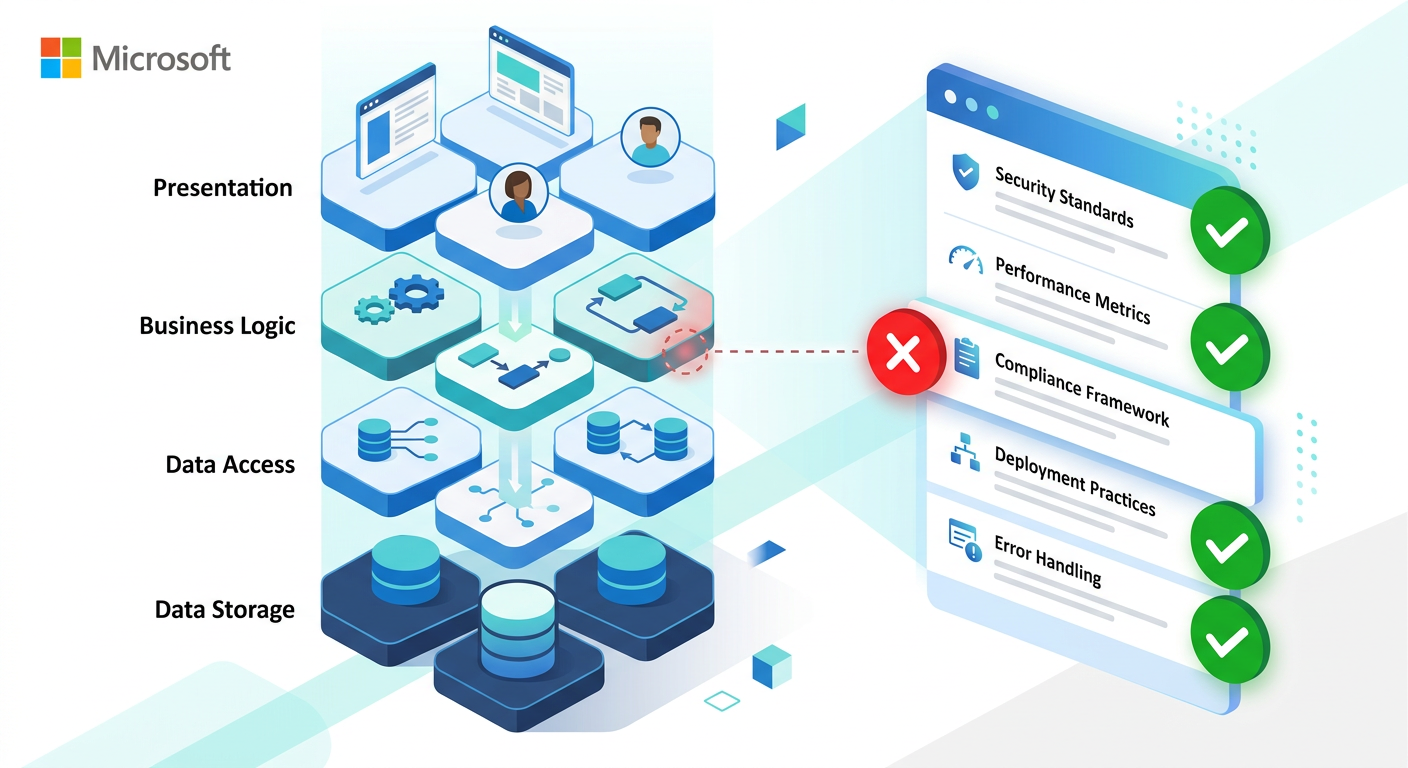
Maintaining a clean, understandable, and scalable architecture is one of the biggest challenges in long-term software projects. As codebases grow and teams change, architectural integrity can erode, leading to "spaghetti code" that is difficult to maintain and extend. Visual Studio Enterprise provides specific tools to combat this architectural decay.
Live Dependency Validation
A cornerstone of the Enterprise edition is the ability to define and enforce architectural rules using Dependency Validation Diagrams (also known as Layer Diagrams). This allows architects and lead developers to:
- Define the Intended Architecture: Create a simple diagram that specifies the allowed dependencies between different parts of the application. For example, you can define a rule that the "UI" layer can only talk to the "Business Logic" layer, and not directly to the "Data Access" layer.
- Enforce Rules in Real-Time: Visual Studio Enterprise will analyze your code as you write it. If a developer adds a piece of code that violates a defined architectural rule (e.g., calling a database function directly from the UI), the IDE will flag it as a build error or warning.
- Integrate into CI/CD Pipelines: This validation can be included as a step in your automated build process, ensuring that no architectural violations are ever merged into the main branch.
Code Cloning Analysis
Another powerful feature in Enterprise is Code Clone Analysis. This tool scans your entire solution to find blocks of duplicate or near-duplicate code. Redundant code is a maintenance nightmare; a bug fixed in one place might be missed in its cloned counterparts. By identifying and refactoring cloned code into a single, reusable method or service, you can significantly improve code quality and reduce future maintenance efforts.
These architectural tools are not about writing code faster; they are about ensuring the long-term health and maintainability of your software assets. For enterprises managing vast and complex codebases over many years, the ability to enforce architectural consistency is a strategic advantage that can save millions in maintenance costs.
While developers using the Professional edition can manually review code for these issues, the automated, real-time feedback loop in Enterprise provides a level of governance and control that is simply not possible otherwise.
💡 Licensing, Subscriptions, and Included Benefits
Understanding Visual Studio licensing requires looking beyond the IDE itself. You are not just buying a piece of software; you are purchasing a subscription (historically known as MSDN subscriptions) that includes a bundle of software, services, and benefits. The value of these benefits can often outweigh the cost of the subscription itself, especially for the Enterprise edition.
Visual Studio Subscriptions
Both Professional and Enterprise are available as Standard Subscriptions or Cloud Subscriptions. The most common way to purchase is through Standard Subscriptions, which are typically acquired via Volume Licensing for organizations or directly from the Microsoft Store for individuals (Retail).
- Visual Studio Professional Subscription: Includes the Professional IDE, Azure DevOps Server license and one CAL, and a monthly Azure dev/test credit (e.g., $50/month). It also provides access to a core set of Microsoft software for development and testing purposes.
- Visual Studio Enterprise Subscription: Includes the Enterprise IDE, all the benefits of Pro, plus a significantly larger monthly Azure dev/test credit (e.g., $150/month). Crucially, it also includes Azure Test Plans for use in Azure DevOps, which is a major driver for adoption. The subscription also provides access to a much wider range of Microsoft software, including Windows and SQL Server for dev/test environments.
⚠️ A Note on Licensing Channels: Legitimate licenses for end-users are acquired through Retail or Volume Licensing channels. OEM (Original Equipment Manufacturer) keys are strictly for pre-installation by hardware manufacturers and are not sold as standalone products. Offers for standalone OEM keys online violate Microsoft's distribution terms and should be avoided. Always purchase from Microsoft directly or a certified reseller to ensure compliance and support.
Evaluating the Total Value
When deciding between Pro and Enterprise, organizations must calculate the total value of the subscription. For a team heavily invested in the Microsoft ecosystem, the benefits in Enterprise can be substantial:
- Azure Credits: The larger Azure credit for Enterprise subscribers can entirely cover the costs of individual dev/test environments in the cloud.
- Azure DevOps Benefits: Enterprise subscribers enable the use of Azure Test Plans for the entire organization, a service that would otherwise be a separate monthly charge per user.
- Training and Support: Subscriptions often include access to technical support incidents, e-learning platforms like Pluralsight, and other training resources.
Ultimately, the decision is a financial and strategic one. The procurement team must weigh the higher subscription cost of Enterprise against the tangible benefits of increased Azure credits and included service licenses, and the intangible (but critical) benefits of improved developer productivity, higher software quality, and reduced maintenance costs provided by its exclusive features.
⚖️ The Verdict: Which Edition Is Right for You?
The choice between Visual Studio Professional and Visual Studio Enterprise is a classic case of 'it depends.' There is no single right answer for every team or organization. The decision should be based on a clear-eyed assessment of your team's size, project complexity, quality assurance processes, and DevOps maturity.
Choose Visual Studio Professional If...
- You are an individual developer or part of a small to medium-sized team.
- Your primary focus is on core application development, debugging, and deployment.
- Your quality assurance process relies mainly on developer-driven unit tests and manual testing.
- You do not require advanced historical debugging or architectural enforcement tools.
- Your budget is a primary constraint, and your team can operate effectively without the advanced features and subscription benefits of Enterprise.
For a significant portion of the development world, Visual Studio Professional is the perfect workhorse. It's a feature-complete IDE that enables immense productivity without the overhead or cost of the Enterprise-grade toolset.
Choose Visual Studio Enterprise If...
- You are part of a large development team or enterprise organization.
- You work on complex, long-running projects where maintainability and architectural integrity are critical.
- Your organization has dedicated QA teams and requires sophisticated test management and automation (manual, automated UI, load testing).
- You need to diagnose elusive, hard-to-reproduce bugs in complex or production systems (using IntelliTrace).
- Your team is heavily invested in Azure DevOps and needs access to Azure Test Plans.
- The total value of the subscription benefits (like higher Azure credits and inclusive software licenses) provides a strong return on investment.
Ultimately, a pragmatic approach is best. Not every developer in an organization may need the Enterprise edition. A common strategy for large companies is to purchase a mix of licenses: provide Visual Studio Enterprise to senior developers, architects, and QA leads who will leverage its advanced features, while assigning Visual Studio Professional to the majority of developers focused on core coding tasks. This hybrid approach can optimize costs while still providing the powerful tools to the team members who need them most.
📊 Comparison
| Feature | Visual Studio Professional | Visual Studio Enterprise |
|---|---|---|
| Core IDE & Language Support | ✓ | ✓ |
| Standard Debugging & Diagnostics | ✓ | ✓ |
| IntelliCode (AI-assisted Development) | ✓ | ✓ |
| Unit Testing Frameworks | ✓ | ✓ |
| IntelliTrace (Historical Debugging) | ✗ | ✓ |
| Snapshot Debugger | ✓ | ✓ (with advanced features) |
| Code Map Debugger Integration | ✗ | ✓ |
| Live Unit Testing | ✗ | ✓ |
| Test Management (via Azure Test Plans) | ✗ | ✓ |
| Automated UI Testing Frameworks | ✗ | ✓ |
| Code Clone Analysis | ✗ | ✓ |
| Live Dependency Validation | ✗ | ✓ |
| Monthly Azure Dev/Test Credits | Standard Amount | Higher Amount |
| Included Microsoft Software (for dev/test) | Core Set | Full Set |
❓ Frequently asked questions
Can I upgrade from Visual Studio Professional to Enterprise?
Are the Azure credits a one-time benefit or recurring?
What happens when my Visual Studio subscription expires?
Is Visual Studio Enterprise worth it for a small team of 5 developers?
Do both editions support the same programming languages and frameworks?
🔄 Updated 2026-09-13
Update: September 13, 2026
- Core Comparison Remains Constant: The fundamental split continues to be based on scale. Visual Studio Professional provides the necessary IDE tools for individual developers and small teams, while Enterprise remains the exclusive home for advanced diagnostics like IntelliTrace and Live Unit Testing.
- AI Integration: As of 2026, both versions leverage AI-assisted coding, but Enterprise now includes enhanced AI-driven architectural analysis, helping large teams maintain code quality across massive distributed repositories—a feature still absent from the Professional tier.
- Licensing Shifts: Microsoft has further integrated GitHub Enterprise capabilities into the Visual Studio Enterprise subscription. For organizations operating at scale, the bundled value of Enterprise now heavily emphasizes DevSecOps and automated compliance tools that are not available in Professional.
- 2026 Recommendation: For independent contractors or small firms (under 250 PCs or $10M revenue), Visual Studio Professional via Retail or a standard Subscription is the most cost-effective path. Larger organizations or teams managing mission-critical infrastructure should opt for Visual Studio Enterprise through Volume Licensing to access the historical debugging and automated testing suites required for modern high-availability environments.