
An Introduction to the Three Pillars of Microsoft Licensing
In the complex world of IT procurement and asset management, understanding software licensing is not just an administrative task—it's a critical component of risk management. For Microsoft products, the vast majority of licenses fall into one of three primary models: Original Equipment Manufacturer (OEM), Retail (also known as Full Packaged Product or FPP), and Volume Licensing (VL). While they may seem like different ways to buy the same software, their underlying rights, restrictions, and methods of proving ownership are profoundly different. These differences become starkly apparent during a Software Asset Management (SAM) engagement or, more critically, a formal software audit from Microsoft or one of its partners.
An audit isn't about punishment; it's about reconciliation. The auditor's goal is to create a simple equation: the number of software installations and users you have must equal the number of licenses you are entitled to use. A shortfall in that equation results in a compliance gap, which typically must be closed by purchasing new licenses at a premium, often with additional penalties. Success in an audit hinges on your ability to produce clear, indisputable Proof of License (PoL) for every single installation.
This article will dissect each licensing model through the lens of audit-readiness. We'll explore their specific use cases, limitations, and most importantly, what constitutes valid proof of license for each. Understanding these distinctions is the first step toward building a compliant, cost-effective, and audit-proof licensing strategy for your organization.
OEM Licensing 🪟 The Hardware-Tied Foundation

OEM licensing is the most common way organizations acquire Microsoft Windows operating system licenses for their client machines. These licenses are purchased pre-installed on new hardware directly from manufacturers like Dell, HP, Lenovo, or a local system builder.
How OEM Licensing Works
The core principle of an OEM license is that it is inextricably tied to the hardware on which it was first installed. The license's lifecycle begins and ends with that specific device. Key characteristics include:
- Pre-installation: The software is installed by the manufacturer (the OEM) before the customer receives the device.
- Hardware-Specific: The license is valid only for the original machine. You cannot transfer an OEM Windows license from an old laptop to a new one. If the motherboard of the device fails and is replaced, the license is typically voided as it's considered a new computer.
- Proof of License: The primary proof of an OEM license is the Certificate of Authenticity (COA) sticker affixed to the device's chassis. This sticker contains a product key and other security features. The second piece of evidence is the original purchase invoice for the hardware, which should ideally list the operating system as a line item.
⚠️ A Critical Warning on Standalone OEM Keys
It is crucial to understand that standalone OEM licenses sold without accompanying hardware are not legitimate for end-user purchase or self-building scenarios. Microsoft's distribution terms restrict the sale of OEM System Builder licenses to qualified manufacturers who pre-install the software and then sell the combined unit. Websites, online marketplaces, or vendors offering cheap, standalone OEM keys for Windows or Office are violating these distribution terms. During an audit, keys acquired this way will be deemed non-compliant. The only legitimate path for an end-user or business to acquire a new, full Microsoft license is through Retail or Volume Licensing channels.
OEM at Audit Time
When an auditor assesses your Windows OS compliance, their process for OEM licenses is physical. They will check for:
- The presence of a valid COA sticker on the machine.
- That the OS version installed (e.g., Windows 11 Pro) matches the version specified on the COA sticker.
- The original hardware invoice to correlate the purchase with the license.
Any discrepancy, such as a PC running Windows 11 Enterprise but only having a Windows 11 Pro OEM license, creates a compliance gap that must be remediated—typically with a Volume Licensing upgrade license.
Retail (FPP) Licensing ✅ The Flexible but Unscalable Option
Retail licenses, often called Full Packaged Product (FPP), are what you would typically buy from a physical electronics store or an online retailer like the Microsoft Store. These are sold as a boxed product with a key card inside or as a direct digital download. This model is common for individual users and very small businesses.
Key Features of Retail Licensing
Retail licenses offer more flexibility than OEM licenses, but with significant administrative trade-offs for businesses.
- Transfer Rights: The most significant benefit of a Retail license is that it is transferable. You can uninstall the software from one computer and reinstall it on another, for example, when you replace your old PC. However, the license can only be active on one computer at a time.
- Direct Purchase: You acquire the license directly as a consumer, not as part of a hardware purchase.
- Proof of License: This is the critical weakness for businesses. For a Retail license to be considered valid during an audit, you must present the complete Proof of License (PoL). This consists of the original product box, the product key, and the original purchase receipt or invoice.
The Scalability Nightmare
Imagine an office with 50 employees, each using a Retail copy of Microsoft Office Professional. To prove compliance during an audit, you would need to produce 50 separate boxes, 50 unique keys, and 50 corresponding invoices. If an employee bought their copy with a personal credit card and was reimbursed, a company expense report might not be sufficient proof for a strict auditor. Misplacing any of these components technically invalidates the license.
For any organization with more than five users, relying on Retail licenses creates an enormous and unnecessary administrative burden. The risk of lost records and the sheer inefficiency of tracking individual boxes and keys make it a non-viable strategy for any growing business.
At audit time, auditors will request this physical proof. When an IT Manager can't produce a room full of dusty boxes, it leads to a difficult conversation and a likely finding of non-compliance. The flexibility of transfer rights is quickly outweighed by the unmanageable burden of proof at any scale.
Volume Licensing 📊 The Standard for Business Compliance
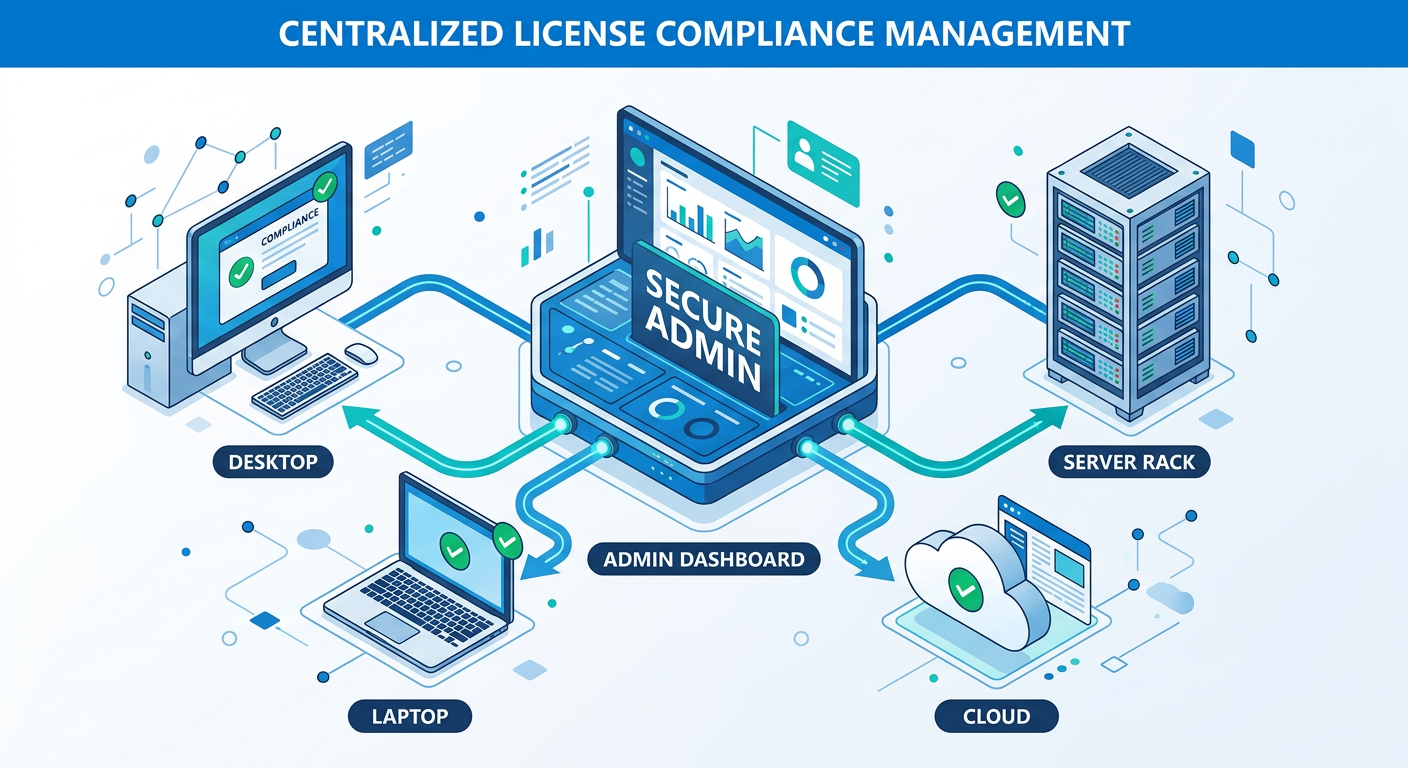
Volume Licensing (VL) is Microsoft’s preferred licensing model for organizations of all sizes, from small businesses with as few as five licenses to the world's largest enterprises. This model is designed to simplify license management, reduce costs at scale, and provide valuable usage rights not available in OEM or Retail channels. Modern Microsoft 365 and Office 365 subscriptions are a form of user-based Volume Licensing.
How Volume Licensing Simplifies Everything
The fundamental shift with Volume Licensing is from managing individual, physical licenses to managing a pool of entitlements through a central, digital portal.
- Centralized Management: All your license entitlements are recorded in a single agreement and visible in the Microsoft Volume Licensing Service Center (VLSC) or the more modern Microsoft 365 Admin Center. This is your single source of truth for licensing.
- Simplified Proof of License: During an audit, you don't need boxes or stickers. Your proof is your signed agreement and the entitlement summary in your Microsoft portal. The auditor's job becomes a simple comparison of your VL entitlement count against your deployment data.
- Cost-Effectiveness at Scale: While the upfront cost per license might be higher than a questionable OEM key, it is generally lower than Retail and provides far more value. Pricing tiers are available based on the volume of licenses purchased.
- One Key for Many Installs: VL agreements provide a single Volume License Key (VLK) per product, which can be used for multiple installations. This dramatically simplifies software deployment.
Crucial Rights Only Available Through Volume Licensing
Beyond simplification, VL grants specific rights that are essential for modern IT management:
- Reimaging Rights: This is the right to create a single, standardized “gold image” of an operating system and applications and deploy it across multiple licensed machines. You cannot legally use an OEM or Retail copy as a base for a corporate image. This right alone is a primary driver for adopting VL.
- Downgrade Rights: VL allows you to deploy prior versions of the software. If you buy a license for Windows 11 Enterprise, you have the right to deploy Windows 10 Enterprise if your environment requires it.
- Software Assurance (SA): An optional but highly valuable add-on to VL agreements, SA provides a host of benefits, including new version rights (free upgrades), training vouchers, support, and unique technologies like Windows To Go.
Volume Licensing at Audit Time
When the audit letter arrives, organizations with a well-managed VL portfolio are in the strongest possible position. The process is straightforward: the auditor will request an entitlement report (such as the Microsoft License Statement), you will provide a deployment report from your inventory tools, and the two are reconciled. There are no frantic searches for invoices or COA stickers. The conversation is about numbers and agreements, not about physical artifacts. This clarity and simplicity make Volume Licensing the undisputed standard for any business serious about compliance and efficient IT operations.
💡 The Audit Scenario: Reconciling Deployments with Entitlements
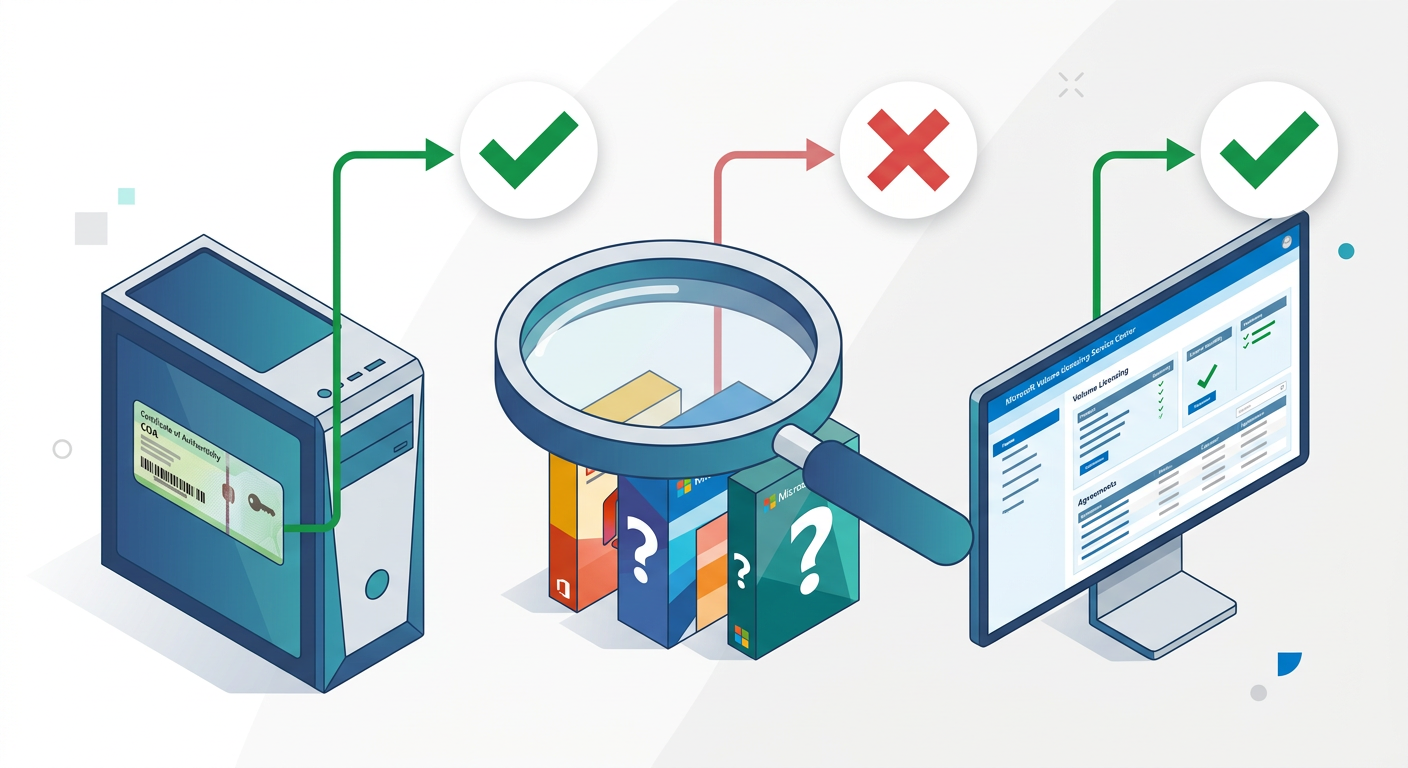
Let's walk through a practical audit scenario to see how these differences play out. An auditor from a Microsoft SAM partner is tasked with verifying the licenses for 100 desktops at your company. They find that all 100 machines are running Windows 11 Enterprise and Microsoft Office 2021 Professional Plus.
The auditor's request is simple: "Please provide Proof of License for these 200 software installations (100 x Windows, 100 x Office)."
The Proof of License Challenge
How you respond depends entirely on your licensing model:
- If you used OEM + Volume Licensing for Windows: You would show the auditor that each machine has a Windows 10/11 Pro OEM COA sticker. Then, you would log into the VLSC and show a Volume Licensing agreement for 100 licenses of 'Windows 11 Enterprise Upgrade'. This combination is compliant. The OEM license provides the necessary "qualifying underlying OS," and the VL license provides the right to upgrade to Enterprise and to standardize using a single image.
- If you used Retail for Office: You would be asked to produce the 100 individual FPP boxes for Microsoft Office, each with its unique key, and 100 corresponding invoices. If even a few are missing, you have a compliance gap. The auditor will likely declare all 100 installs as non-compliant due to the systemic failure in record-keeping, forcing a large, unplanned purchase.
- If you used Volume Licensing for Office: You would simply show the VLSC portal, which displays your agreement for 100 (or more) licenses of Office 2021 Professional Plus. The audit for Office is complete in minutes. The proof is centralized, digital, and indisputable.
Common Audit Failure Points
Audits frequently uncover the same common licensing mistakes:
- Mismatched OS Licenses: Using a Volume License key to install a full version of Windows 10/11 Pro on a bare-metal machine or a PC that came with a Home edition. VL desktop OS licenses are 'Upgrade' licenses only and require a qualifying underlying OEM Pro or Retail license.
- Abuse of Reimaging Rights: Using an OEM or Retail copy to create a master image for deployment. This is a direct violation of Microsoft license terms; reimaging is a right granted exclusively through Volume Licensing.
- Lack of Retail Proof: The most common failure. Small businesses that grew over time often have a messy collection of Retail licenses with no coherent documentation. This is low-hanging fruit for an auditor.
- Using a single Retail key on multiple machines: A clear violation easily detected by software inventory tools that flag duplicate key usage.
The audit scenario makes it clear: while OEM and Retail have their place, relying on them as a primary strategy for a business environment is fraught with risk. Volume Licensing is designed to remove that risk by aligning the method of proof with the realities of business IT management.
✅ Strategic Recommendations for a Compliant Licensing Portfolio
Building an audit-proof software estate doesn't happen by accident. It requires a deliberate strategy that leverages each licensing model for its intended purpose. The goal is to maximize value while ensuring compliance is straightforward and provable.
The Hybrid Model: Best Practices
For most organizations, the optimal strategy is a hybrid approach:
- Base Operating System: For client desktops and laptops, continue to acquire the Windows Pro OEM license that comes with new hardware from major manufacturers. This is the most cost-effective way to get the necessary 'qualifying underlying OS'. Ensure your hardware procurement policy specifies 'Windows Pro' and not 'Home' editions.
- OS Upgrades & Enterprise Features: If you need features of Windows Enterprise Edition (like DirectAccess, AppLocker, or advanced security) or if you need to standardize your environment with reimaging rights, you must purchase a 'Windows Enterprise Upgrade' license through a Volume Licensing agreement for each device.
- Server Operating Systems & CALs: For Windows Server, Volume Licensing is the default and recommended path. It simplifies the management of both the server OS licenses and the required Client Access Licenses (CALs) for your users or devices. Avoid the OEM 'ROK' (Reseller Option Kit) licenses sold with servers if you need the flexibility to move your license to new hardware in the future (virtualization).
- Business Applications (Microsoft Office): For any organization with more than a handful of users, Retail licenses for Microsoft Office should be avoided entirely. The choice is between a perpetual license through Volume Licensing (like Office LTSC 2021) or, increasingly, a Microsoft 365 Apps for business/enterprise subscription. Subscriptions are a form of user-based Volume Licensing that offer the simplest compliance model: one license per user, usable across multiple devices.
Implement Proactive Software Asset Management (SAM)
A licensing strategy is only as good as its execution. Implementing basic SAM practices is essential:
- Maintain a Central Inventory: Use tools (even a detailed spreadsheet for small orgs) to track all hardware and the software installed on it. This gives you the 'deployment' side of the audit equation.
- Consolidate Licensing Records: Designate a secure, centralized location (digital or physical) to store all licensing proofs. For VL, this is your VLSC/M365 portal. For the few Retail or OEM licenses you must track, scan and file the COAs and invoices.
- Perform Regular Self-Audits: At least once a year, perform your own internal reconciliation. Compare your inventory against your license entitlements. This allows you to identify and remediate any gaps on your own terms, long before an external auditor gets involved.
By treating licensing as a strategic function rather than a series of disconnected purchases, you can build a portfolio that is not only compliant but also optimized for the operational needs of your business. This proactive stance transforms an audit from a potential crisis into a simple validation exercise.
📊 Comparison
| Attribute | OEM | Retail (FPP) | Volume Licensing (VL) |
|---|---|---|---|
| Transfer Rights | None. License is tied to the original hardware permanently. | Yes. Can be uninstalled and reinstalled on a different device (one at a time). | Yes (with active Software Assurance). License can be reassigned to new hardware after 90 days. |
| Reimaging Rights | No. Cannot use OEM media/key to create and deploy a standard image. | No. Cannot use Retail media/key for mass deployment. | Yes. The cornerstone of VL, allowing deployment of a single standard image. |
| Downgrade Rights | Limited, depends on OEM. Generally, no. | No. You can only use the version you purchased. | Yes. Allows deployment of prior versions of the software. |
| Proof of License | COA sticker on the device + original hardware invoice. | Original box, product key, and proof of purchase (invoice). | Digital record in the VLSC or M365 Admin Center portal under a signed agreement. |
| Management | Decentralized. Managed on a per-machine basis. | Decentralized and burdensome. Requires tracking physical items for each install. | Centralized. A single portal to view and manage all license entitlements. |
| Ideal Use Case | Pre-installed base OS on new PCs from a major manufacturer. | Individual consumers or home offices with 1-2 computers. | Any business or organization with 5 or more users/computers. The standard for business. |