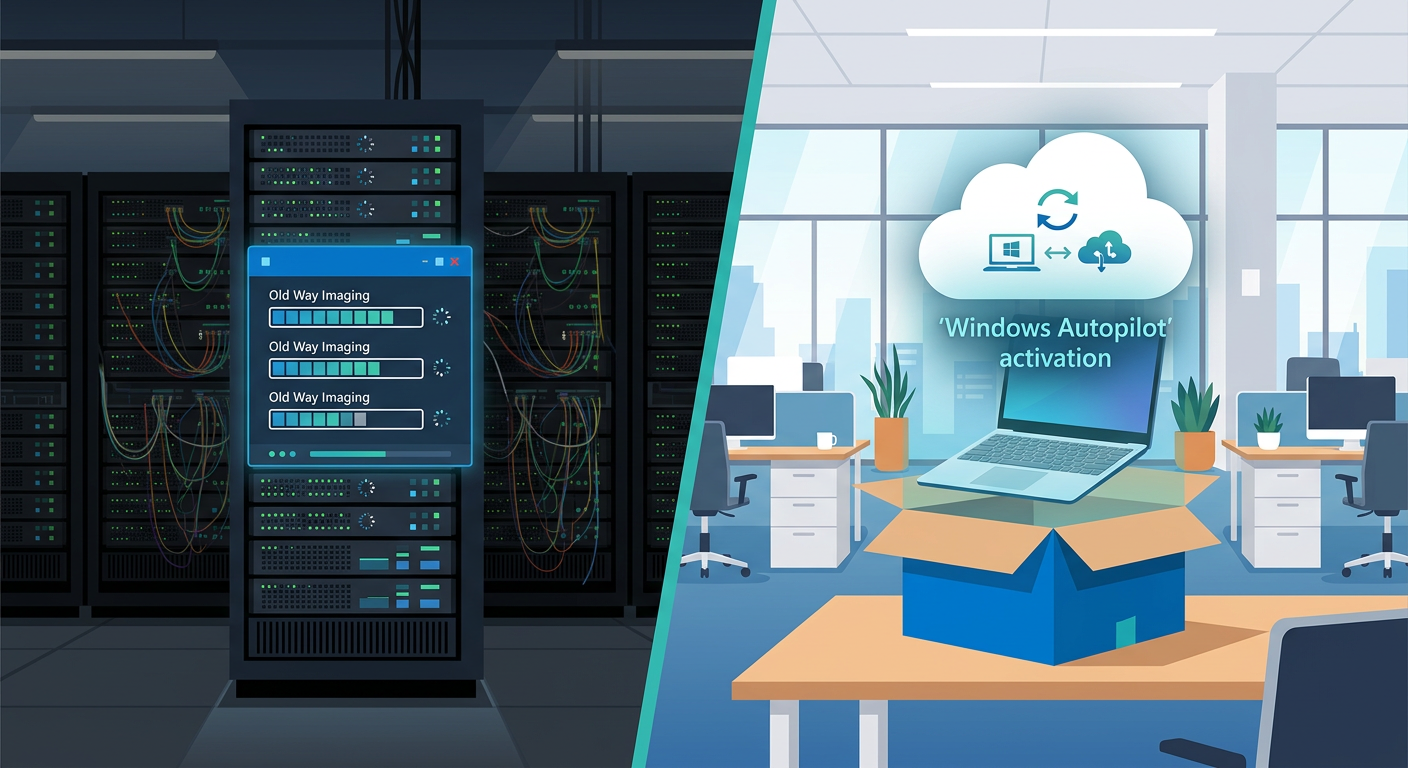
The Evolution of Deployment: Why the Licensing Model Changed 🔄
For decades, the "Gold Image" was the holy grail of IT departments. The workflow was predictable: unbox a device, wipe the factory-installed operating system, and apply a custom-built .WIM or .ISO file via Microsoft Deployment Toolkit (MDT) or Configuration Manager (SCCM). However, as the workforce moved from local desks to remote offices, this perimeter-based model began to fracture. The emergence of Windows Autopilot represents a shift from "destruction and replacement" to "transformation and management."
Understanding the Autopilot vs traditional imaging: licensing angle is critical because the two methods rely on entirely different legal frameworks. Traditional imaging is governed by Re-imaging Rights—a specific benefit found in Volume Licensing (VL) contracts. Autopilot, conversely, relies on User-based Subscription Rights. Moving from one to the other isn't just a technical upgrade; it is a total pivot in how you consume Windows as a Service. Organizations that fail to account for these licensing differences often find themselves either overpaying for redundant VL agreements or falling out of compliance during a Microsoft audit.
Note: Standalone OEM licenses are never sold individually to end users. They are pre-installed by the manufacturer. While traditional imaging requires you to use a VL key to overwrite these, Autopilot leverages the underlying OEM license as a foundation, creating a more streamlined (and often cheaper) licensing path.
Traditional Imaging: The "Gold Image" and Volume Licensing 📀
To understand the "old way," one must understand the Microsoft Re-imaging Rights. Under standard Microsoft terms, you cannot legally take a Windows 11 Pro Retail or OEM key and use it to create a master image for 500 computers. To do that, you must have a Volume Licensing agreement (such as an Open Value, MPSA, or Enterprise Agreement).
- The One-License Rule: To gain re-imaging rights for your entire fleet, you must purchase at least one Volume License for the specific version of Windows you are deploying.
- The Media Requirement: You must use the media and product keys provided through the VLSC (Volume Licensing Service Center) or Microsoft Admin Center. Using OEM media for mass imaging is a breach of contract.
- Architecture Dependency: Traditional imaging requires a significant investment in on-premises infrastructure. You aren't just paying for the Windows license; you are paying for the Windows Server licenses, SQL Server instances for SCCM, and the Client Access Licenses (CALs) for the users or devices hitting those servers.
The traditional model is essentially a Device-Centric licensing play. The license is tied to the hardware, and the right to modify that hardware is purchased through a secondary corporate agreement. This creates a "double-licensing" feel that many modern CFOs are looking to eliminate.
Autopilot: The Subscription-Based Transformation ☁️
Windows Autopilot flips the script. Instead of wiping the device, Autopilot uses the factory-installed Windows OS and "transforms" it into a corporate-ready state. Because the original OS is never replaced, the complex "Re-imaging Rights" of the Volume Licensing world become less relevant. Instead, the focus shifts to Subscription-based Licensing.
To leverage Autopilot, your organization typically needs a combination of three pillars:
- A Base OS License: The device must ship with a valid Pro, Enterprise, or Education license (usually OEM).
- Entra ID (formerly Azure AD) P1: This is required for automatic MDM enrollment and the branding of the login screen.
- Microsoft Intune: This is the engine that pushes the configurations and apps once the user logs in.
These are almost always bundled into Microsoft 365 Business Premium, E3, or E5. From a licensing perspective, you are moving from a CAPEX model (buying perpetual VL licenses) to an OPEX model (paying per user, per month). The beauty of this "licensing angle" is that the Windows license follows the user, not the device. If a user has an M365 E3 license, they can sign into a fresh-out-of-the-box Windows Pro laptop, and Autopilot will automatically upgrade that device to Windows Enterprise without the admin ever touching a product key.
Comparing Costs: Infrastructure vs. User Subscriptions 📊
The financial impact of switching from traditional imaging to Autopilot is often buried in the "soft costs" of IT labor, but the hard licensing costs are just as significant. When comparing the two, we look at the Infrastructure Stack.
The Hidden Costs of Legacy Imaging
In a traditional environment, your licensing spend includes:
- Windows Server licenses for Distribution Points.
- SQL Server licensing for the management database.
- MCM (SCCM) licenses (often bundled with Core CALs).
- VDA licenses if you are imaging virtual machines.
The Efficiency of Modern Deployment
With Autopilot, the infrastructure is managed by Microsoft. Your "licensing" covers the service, not the server. Key savings include:
- No VL Upgrade Requirement: You no longer need to buy Windows "Upgrade" licenses through VL if your users are licensed via M365 E3/E5.
- Hardware Agnostic: You don't need to maintain different images for Dell, HP, or Lenovo. The licensing is consistent across all vendors.
- Zero-Touch Provisioning: The cost of "shipping to IT, then shipping to user" is eliminated. The license is applied over the air (OTA).
However, be wary: if you have a "standard" Microsoft 365 E3, you are already paying for these rights. If you aren't using Autopilot, you are essentially paying for a service you aren't utilizing while still maintaining the expensive legacy infrastructure on-premises.
Compliance and Auditing: What Changes? 🔐
When an auditor looks at an organization using traditional imaging, they look for the "Paper Trail of Rights." They want to see the VL agreement that matches the version of the OS on your devices. If you are using Windows 11 Pro but your VL agreement only covers Windows 10, you have a compliance gap.
In the Autopilot world, the audit focus shifts to Identity and Assignment. The auditor will look at your Entra ID (Azure AD) and Intune portals. The questions they ask will be:
- Does every user who signed into an Autopilot-enrolled device have an active Intune/M365 license?
- Are there "Ghost Devices" in the Autopilot portal that aren't accounted for by active subscriptions?
- Is the base OS on the hardware actually a "Pro" version? (You cannot "Autopilot-upgrade" a Windows Home device to Enterprise legally without a different set of VDA rights).
Pro-Tip: Always ensure your hardware vendor provides the "Hardware Hash" registration as part of the purchase process. This creates a digital birth certificate for the device in your tenant, which is the ultimate proof of ownership and licensing alignment during a Microsoft audit.
Strategic Recommendations for IT Leaders 💡
Making the jump from traditional imaging to Autopilot is not an overnight process. Most organizations operate in a "Co-Management" state for a period of time. From a licensing angle, this is the most expensive phase because you are effectively paying for both worlds.
To optimize this transition, consider the following roadmap:
- Audit your current M365 SKU: If you are on M365 Business Standard, you lack the Intune and Entra ID P1 rights. Upgrading to Business Premium is often cheaper than buying standalone components.
- Leverage Windows 11 Transition: Use the Windows 10 End of Support (2025) as a catalyst. Instead of re-imaging old machines to Windows 11, use Autopilot for all new hardware acquisitions.
- Consolidate Management: As you move devices to Autopilot, decommission on-premises SCCM distribution points to recover Windows Server and SQL licensing costs.
The "licensing angle" of Autopilot is ultimately about simplification. By moving away from the complex world of Re-imaging Rights and VL media, IT departments can focus on security and user experience, while procurement can enjoy a predictable, per-user monthly cost that scales with the business.
📊 Comparison
| Feature/Metric | Traditional Imaging (Gold Image) | Windows Autopilot (Modern) |
|---|---|---|
| Licensing Strategy | Device-based (VL) + Re-imaging Rights | User-based (M365/Entra ID) |
| Base OS Requirement | Pro or Enterprise | Pro, Enterprise, or Education |
| Hardware Logic | Uniform hardware preferred (Drivers) | Hardware agnostic (Manufacturer IDs) |
| Re-imaging Rights | Requires at least 1 VL License | Implicitly handled via Entra Join |
| Infrastructure Cost | High (MDT/SCCM Servers) | Low (Cloud-native Intune) |
| Deployment Reach | On-premises/VPN required | Global / Direct-to-Employee |