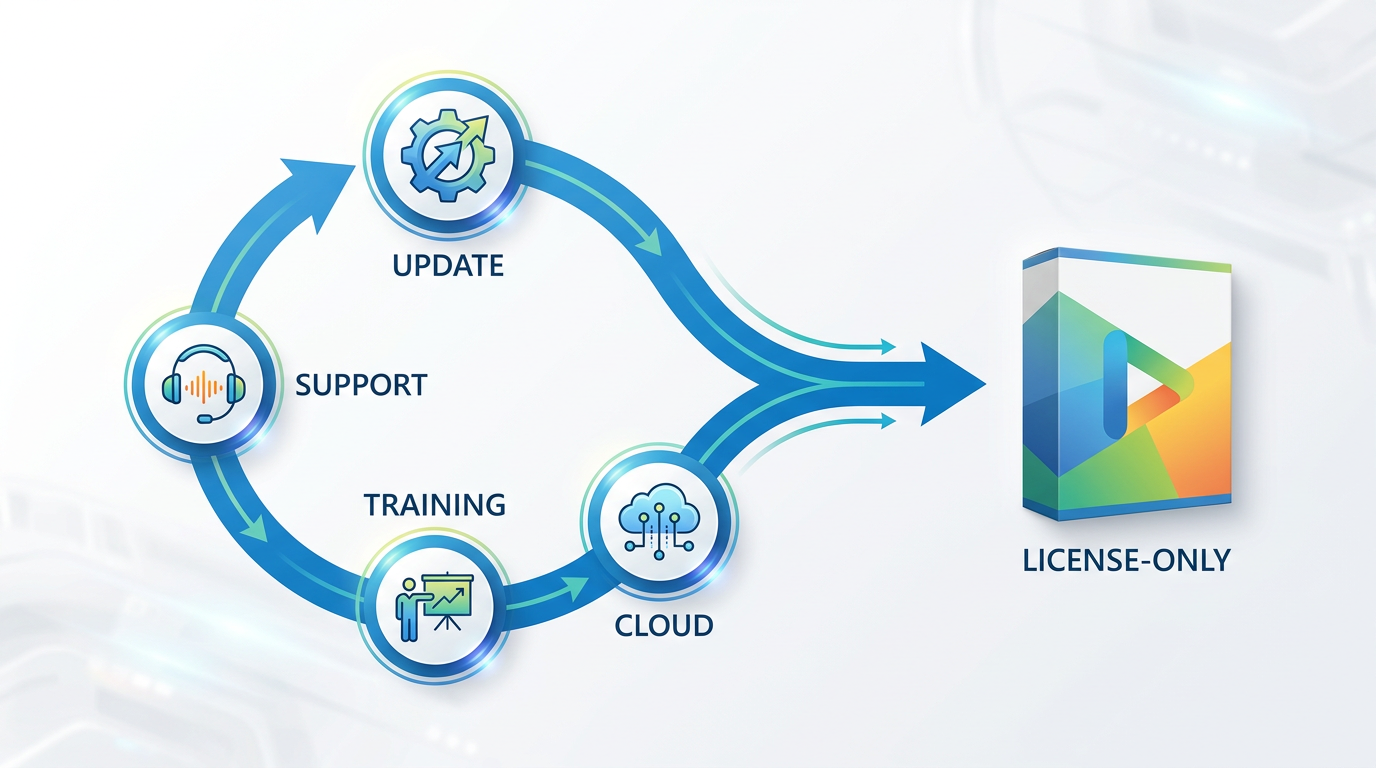
Overview: Perpetual License with Software Assurance
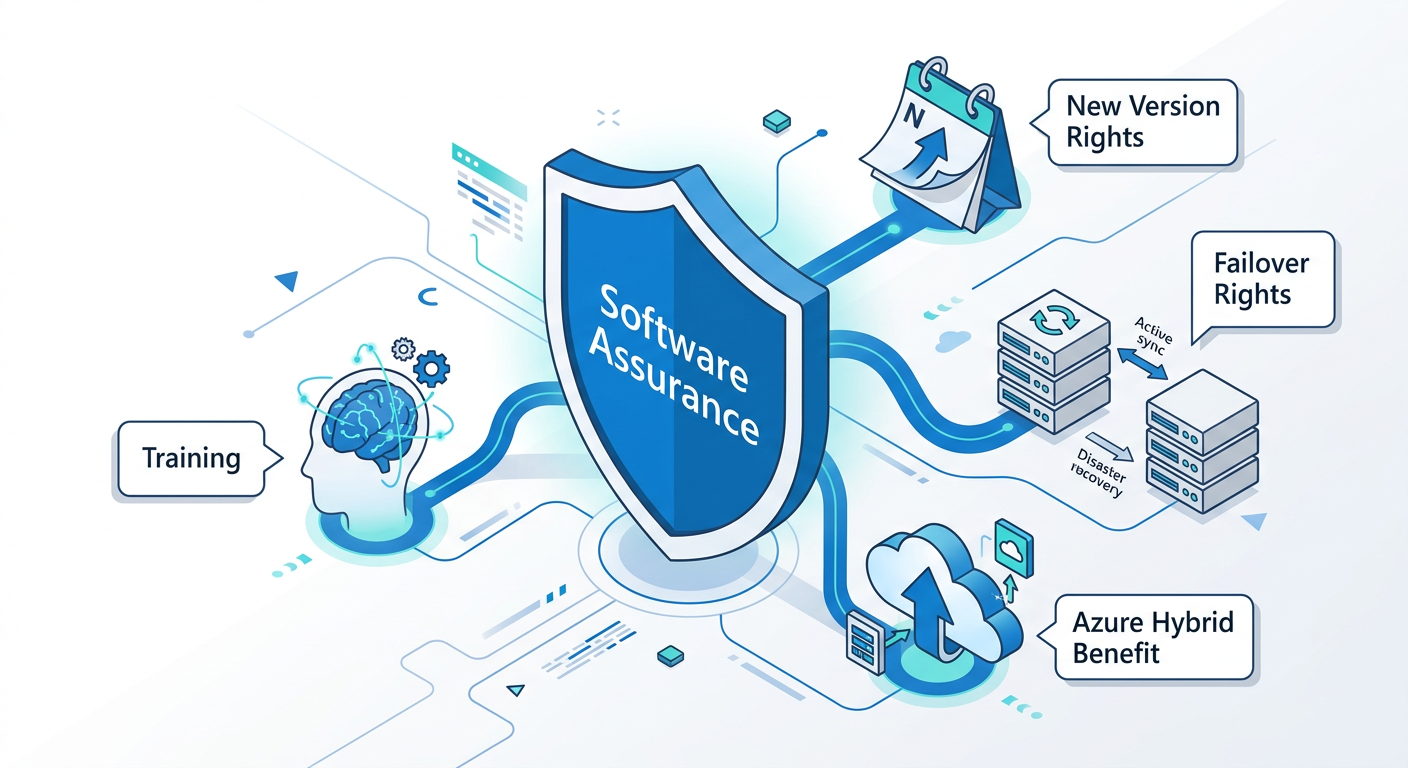
A perpetual license with Software Assurance (SA) is a comprehensive licensing model designed for organizations that view technology as a strategic asset. When you purchase this option through a Microsoft Volume Licensing agreement, you are acquiring two things: the perpetual right to use a specific version of a software product (the license itself) and an attached subscription to a wide array of benefits (Software Assurance) for the term of your agreement, typically two or three years. This model is built for agility and long-term value.
The core proposition of SA is future-proofing. Instead of being locked into the software version you purchase today, SA provides Software Assurance new version rights, granting you access to any new versions of the product released during your agreement term at no additional licensing cost. But the advantages go far beyond simple upgrades. SA is a suite of powerful tools and rights designed to maximize the value of your IT investment, including technical support, training resources for your staff, and unique deployment flexibility across on-premises and cloud environments.
Think of it as an all-access pass. It transforms a static software purchase into a dynamic relationship, providing resources to help you deploy, manage, and utilize your software more effectively and securely. This path is fundamentally about leveraging continuous innovation and mitigating the risks associated with a rapidly evolving technology landscape.
Overview: Perpetual License-Only (L-Only)
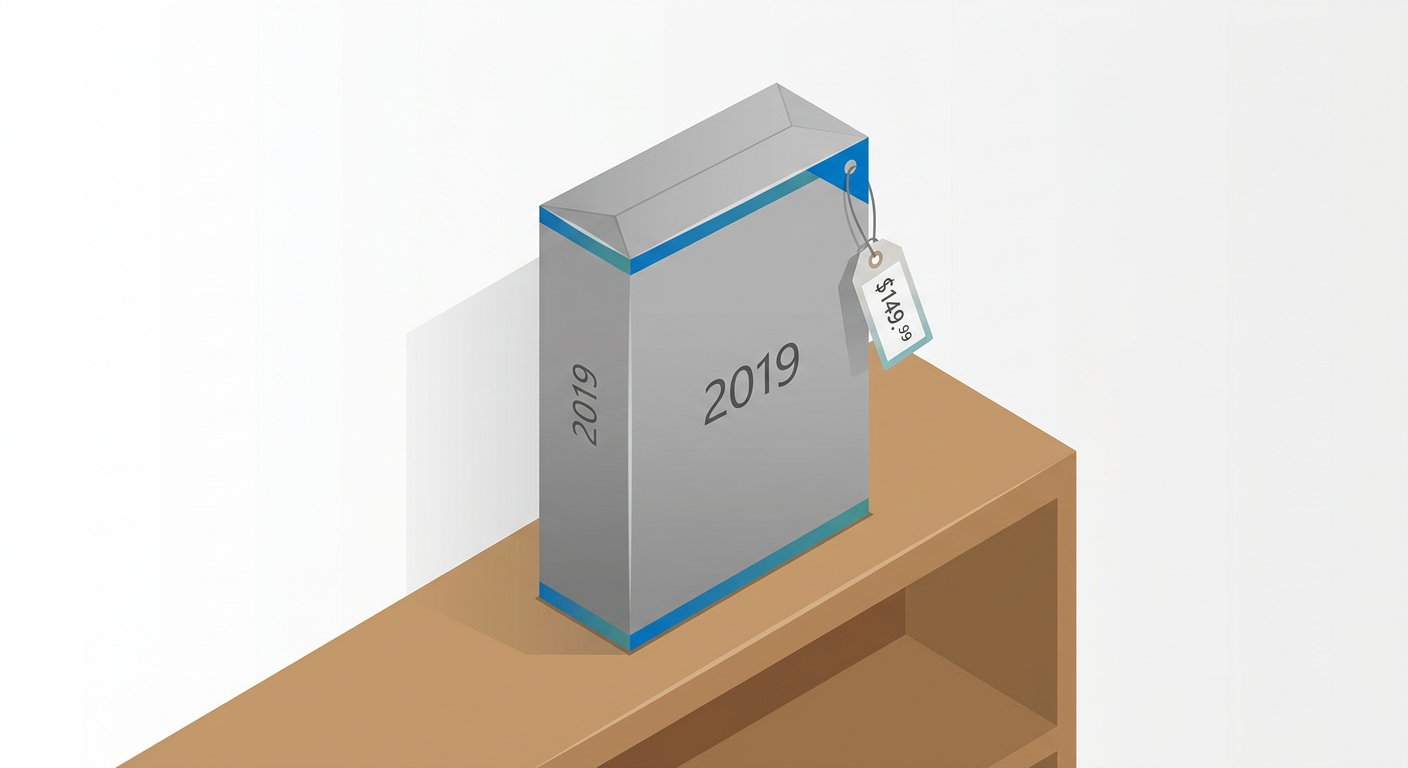
The Perpetual License-Only (L-Only) model is the most traditional and straightforward way to acquire software. You pay a one-time, upfront cost to purchase a license, and you gain the perpetual right to use that specific version of the software for as long as you wish. There are no ongoing fees, no recurring costs, and no expiration date on your right to use that version. This is a pure capital expenditure (CapEx) purchase.
This simplicity is its primary appeal. For organizations with highly stable IT environments and predictable needs, the L-Only approach provides a clear, fixed cost. You know exactly what you're getting: the software, as is. Any future upgrades to new versions would require purchasing a new license at full price. Likewise, this model does not include any of the ancillary benefits associated with Software Assurance, such as 24x7 problem resolution support, deployment planning services, or employee training vouchers.
Choosing the license-only L-only Microsoft licensing path means you are self-reliant. Your organization is responsible for managing upgrades, troubleshooting complex issues beyond basic support, and planning for server migration or disaster recovery without the specialized rights that SA provides. It's a viable strategy for businesses where software plays a functional but not a strategic or evolving role, and where budget predictability outweighs the need for continuous innovation and support.
📊 Feature-by-Feature Comparison: Software Assurance vs. License-Only
When you place the two models side-by-side, the difference in value proposition becomes starkly clear. One path is a transaction; the other is a comprehensive package. The right choice depends entirely on which of these features are critical, and which are merely 'nice-to-have' for your organization's specific operational needs and strategic goals. Below is a detailed breakdown of the cost of Software Assurance vs benefits, showing what you get—and what you don't—with each option.
⚖️ Pricing and Licensing Differences
Capital Expenditure vs. Operational Expenditure
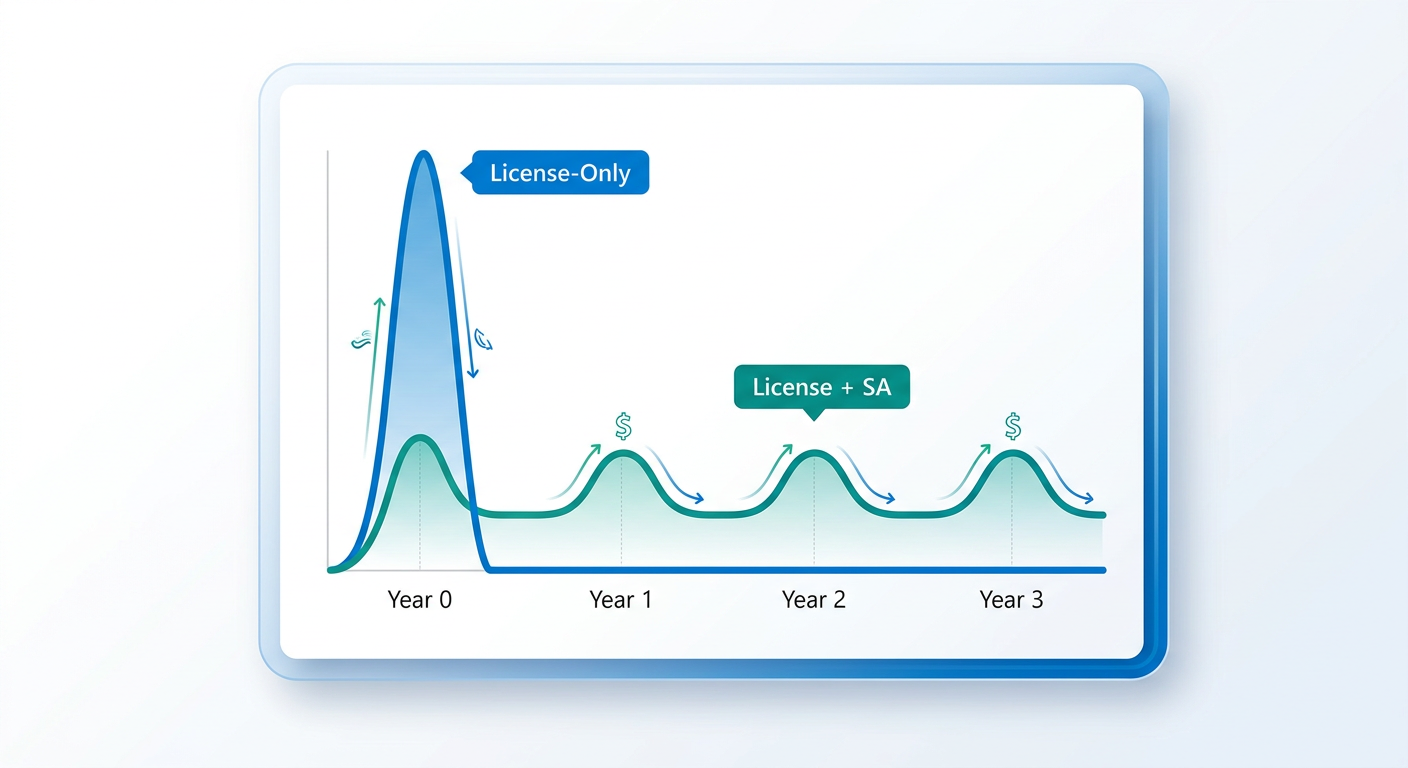
The financial difference between a License-Only purchase and one with Software Assurance is fundamental. L-Only is a pure Capital Expenditure (CapEx). You pay the full cost of the license upfront, and it becomes a fixed asset on your books. This is often favored by organizations with strict annual budgets who prefer a single, predictable purchase.
A license with Software Assurance is a hybrid. The initial license is a CapEx, but the SA portion is an Operational Expenditure (OpEx), paid over the life of the agreement (typically three years). This "spread payments" feature can be a significant benefit, allowing you to distribute the cost over time, preserving capital for other investments. SA costs are generally calculated as a percentage of the license cost per year (e.g., 29% for desktop products, 25% for servers). While the total cost over three years is higher than an L-Only purchase, the financial flexibility and bundled benefits can deliver a greater return on investment.
Acquisition Channels
Perpetual licenses, both with and without Software Assurance, are primarily acquired through Microsoft Volume Licensing programs such as the Microsoft Open Value, Open Value Subscription, Enterprise Agreement, or through a Cloud Solution Provider (CSP). These programs are designed for organizations and have minimum purchase requirements (e.g., as few as five licenses for Open Value).
⚠️ A Critical Note on OEM Licensing: You may encounter "OEM" licenses for products like Windows Server sold online. It is critical to understand that legitimate OEM keys are intended for System Builders to pre-install on new hardware before it is sold. They are not meant to be sold as standalone software products to end users. Purchasing a standalone OEM key from an online reseller violates Microsoft's distribution terms and may not provide a valid, auditable license for your organization. For acquiring new licenses for existing hardware or virtual machines, the correct channels are Retail or, for businesses, a Volume Licensing program.
✅ When to Choose a License with Software Assurance
Opting for a license with Software Assurance is a strategic decision that aligns with growth, agility, and a proactive approach to IT management. It is often the right choice for organizations that:
- Need to Stay Current: If your business thrives on having the latest technology for security, efficiency, and competitive advantage, SA is essential. The included Software Assurance new version rights mean you can upgrade servers and applications without facing a massive relicensing bill every few years.
- Run Mission-Critical Systems: For workloads like SQL Server databases or key application servers running on Software Assurance for Windows Server, the 24x7 Problem Resolution Support included with SA is invaluable. The cost of a single major outage can easily exceed the cost of SA for several years. Furthermore, SA for servers grants fail-over rights for disaster recovery planning.
- Have a Hybrid Cloud Strategy: This is one of the most compelling modern Software Assurance benefits. The Azure Hybrid Benefit allows you to use your on-premises licenses with SA for Windows Server and SQL Server to pay a reduced rate on Azure virtual machines. This can lead to massive savings on cloud computing costs, making a hybrid strategy financially viable.
- Are Moving workloads between Data Centers: For organizations that need to reassign licenses from one server to another, or from their on-premise servers to a third party hoster's datacenter, the Microsoft License Mobility through Software Assurance rights provide critical flexibility that is not available with L-Only licenses.
- Value Employee Development: The included Microsoft training vouchers for employees can be redeemed for technical courses, helping your IT staff master the products you own. This reduces your external training budget and increases in-house expertise, leading to better support and project outcomes.
Ultimately, the question of "is Microsoft Software Assurance worth it in 2024" is an easy 'yes' if your organization sees IT not just as a cost center, but as a driver of business value and innovation.
❌ When to Choose a License-Only Purchase
While Software Assurance offers a wealth of benefits, it's not the default best choice for every scenario. A straightforward License-Only (L-Only) purchase is often the more prudent and cost-effective option for organizations that:
- Have a Static or "Set-and-Forget" IT Environment: If you are licensing software for a function that is not expected to change for many years (e.g., a server running a legacy application with no planned upgrades), then paying annually for new version rights and other benefits you won't use is unnecessary.
- Are Extremely Budget-Constrained: For non-profits, startups, or businesses where minimizing upfront capital expenditure is the absolute top priority, the L-Only model's single, lower price point is a compelling advantage. You acquire the asset you need and nothing more.
- Possess Strong In-House Technical Expertise: If your IT team has deep knowledge of the products you run and can confidently handle troubleshooting and disaster recovery without vendor support, then the 24x7 support included with SA may be redundant.
- Run Non-Critical Workloads: For development/test servers or applications where uptime is not a major business concern, paying a premium for support and fail-over rights is likely not justifiable. The risk of downtime does not carry a significant financial impact.
- Have No Cloud Ambitions: If your organization has a firm policy to remain 100% on-premises with no plans to migrate workloads to Azure, then a primary benefit of SA—the Azure Hybrid Benefit—is irrelevant to you.
Choosing the license-only L-only Microsoft licensing path is a valid strategy when cost containment and operational simplicity are more important than technological agility and long-term vendor support. It is a tactical purchase for a defined need.
🤔 Verdict: Is Software Assurance Worth the Investment?
The decision between purchasing a Microsoft license with Software Assurance or as a License-Only (L-Only) product is a classic battle of long-term strategic value versus short-term cost savings. There is no single correct answer; the right choice is entirely dependent on your organization's context.
A perpetual license with Software Assurance is an investment in agility and risk mitigation. It is best suited for dynamic, growing organizations that need to stay current, require high levels of support for critical systems, are embracing a hybrid cloud strategy with Azure, and see value in continuous employee training. The higher total cost is justified by a lower total cost of ownership (TCO) when these benefits are fully leveraged, particularly the Azure Hybrid Benefit and New Version Rights.
A License-Only purchase is a tactical acquisition for a static need. It is the ideal choice for businesses with predictable, unchanging IT environments, tight capital budgets, and non-critical workloads. In these scenarios, the benefits of SA would go unused, making the additional spend an unnecessary operational expense. It represents the lowest possible upfront cost to legitimately acquire a software license.
Ultimately, you must evaluate your own IT roadmap. If your plans involve growth, cloud migration, and technology refreshes within the next three to five years, the Software Assurance benefits will almost certainly provide a positive return on investment. If your environment is stable and your primary goal is to minimize CapEx, the L-Only model remains a perfectly logical and financially sound choice.
📊 Comparison
| Feature | With Software Assurance | Without Software Assurance (L-Only) |
|---|---|---|
| New Version Rights | Included. Upgrade to new software versions released during your term at no extra cost. | Not Included. You are licensed only for the version you purchase. Upgrading requires buying a new license. |
| Spread Payments | Included. Pay for your license and SA in annual installments over the agreement term. | Not Included. The full cost of the license must be paid upfront. |
| 24x7 Problem Resolution Support | Included for server products, providing critical support for business-stopping issues. | Not Included. Support incidents must be purchased separately on a per-incident basis. |
| Azure Hybrid Benefit | Included. Use your on-premises Windows Server and SQL Server licenses to run workloads on Azure at a significantly reduced rate. | Not Included. You must pay the full price for Azure Virtual Machines. |
| License Mobility Across Server Farms | Included. Reassign licenses between servers within a server farm as needed for dynamic workloads. | Not Included. Licenses are tied to a specific physical server and can only be reassigned every 90 days. |
| License Mobility Through SA | Included. Deploy licenses on a certified partner's multi-tenant cloud infrastructure. | Not Included. Cannot use your licenses on a shared third-party cloud. |
| Disaster Recovery Rights | Included for many server products, allowing for a passive, cold backup server for fail-over. | Not Included. The backup server must be fully licensed unless it is off. |
| Training Vouchers | Included. Vouchers for technical training courses to upskill your IT staff. | Not Included. All training must be paid for separately. |
| Workplace Discount Program (Formerly Home Use Program) | Included. Employees can purchase discounted Microsoft 365 subscriptions for personal use. | Not Included. No discount program for employees. |
| Planning Services | Included. Get structured consulting engagements from Microsoft or partners to help plan deployments. | Not Included. Deployment planning is entirely self-managed or separately contracted. |