
Mistake #1: Ignoring the Azure Hybrid Benefit Entirely
This is the most fundamental and costly error. Many organizations migrate workloads to Azure and start paying the full pay-as-you-go (PAYG) price for Windows Server and SQL Server virtual machines without realizing they are leaving massive savings on the table. They effectively pay for their software licenses twice: once for the on-premises license with Software Assurance, and a second time through the inflated PAYG rate.
The Mistake:
Never activating or even investigating the Azure Hybrid Benefit, defaulting to license-included pricing for all Azure resources.
Why People Do It:
- Lack of Awareness: Many IT teams, especially those new to Azure, simply don't know this powerful benefit exists or assume it's an enterprise-only feature.
- Perceived Complexity: The rules surrounding core counting, Software Assurance, and license mobility can seem daunting, leading teams to stick with the simpler, more expensive PAYG option to avoid administrative overhead.
- Assumption of Ineligibility: Some organizations incorrectly assume their existing licenses don't qualify, without performing a proper audit.
What It Costs You:
The financial impact is direct and substantial. Paying the license-included rate for a Windows Server VM can be up to 40% more expensive than the base compute rate. For SQL Server Enterprise, the cost difference can be even more dramatic. For a single, large ds15_v2 VM (20 vCPUs), failing to use the benefit could mean overpaying by thousands of dollars annually. When you compare Azure Hybrid Benefit vs pay-as-you-go, the latter almost always loses for eligible customers.
How to Avoid It: ✅
The fix is proactive and straightforward. You must learn how to use Azure Hybrid Benefit effectively. Follow these steps:
- Conduct a License Inventory: Start by auditing all your on-premises Microsoft Volume Licenses. Identify which Windows Server (Datacenter or Standard) and SQL Server (Enterprise or Standard) licenses have active Software Assurance.
- Use the Azure Savings Calculator: Microsoft provides an official calculator. Plug in your current or planned Azure VM and database deployments to see the precise savings you can achieve. This data makes a compelling business case for management.
- Start Small: You don't need to convert your entire fleet at once. Identify a few non-production VMs, check the Azure Hybrid Benefit box during deployment or post-deployment, and monitor the billing change. This builds confidence and familiarity with the process.
Mistake #2: ⚠️ Misunderstanding Software Assurance (SA) Eligibility
Not all licenses are created equal. A common and dangerous mistake is assuming any license for Windows Server or SQL Server can be used for the Azure Hybrid Benefit. This misunderstanding can lead to serious compliance issues.
The Mistake:
Attempting to apply licenses that are not covered by active Software Assurance (SA) to Azure resources, or using licenses that are not transferable to the cloud.
Why People Do It:
- License Type Confusion: Many people don't understand the fundamental differences between OEM (Original Equipment Manufacturer), FPP (Full Packaged Product/Retail), and Volume Licensing agreements.
- Expired SA: A company might have purchased licenses with SA years ago but let the coverage lapse. They mistakenly believe that because they own the license perpetually, they still have all associated benefits.
- Misinformation from Sellers: Shady online resellers sometimes sell standalone OEM keys, claiming they can be used for cloud migration. This is a direct violation of Microsoft licensing terms.
What It Costs You:
The consequence is failing a license audit and facing severe penalties. Microsoft actively monitors for Microsoft license compliance in the cloud. If you are found to be using the Azure Hybrid Benefit without having the underlying eligible licenses with SA, you will be liable for back-paying the full pay-as-you-go rate for the entire period of non-compliant use, often with a penalty fee on top. This can result in an unexpected bill for tens or even hundreds of thousands of dollars.
How to Avoid It: ✅
Clarity on your licensing is key. Software Assurance for Azure migration is not optional; it is the core requirement.
- Verify SA Status: Log in to the Microsoft Volume Licensing Service Center (VLSC) or the modern Microsoft 365 admin center's billing section. This is the definitive source to confirm which of your licenses have active Software Assurance. If you work with a Microsoft Partner, they can also run a report for you.
- Understand License Channels:
- Volume Licensing (e.g., EA, MPSA, Open Value): Licenses purchased through these programs with active SA are the primary vehicle for Azure Hybrid Benefit.
- Retail/FPP: Licenses purchased off-the-shelf can be used in Azure, but they are assigned to a single VM and do not grant the cost-saving Azure Hybrid Benefit.
- OEM: OEM licenses (the sticker on the side of a server from Dell, HP, etc.) are tied to the original hardware and CANNOT be transferred to Azure. Standalone OEM keys are not legitimate for end-user purchase.
- Consult a Licensing Expert: When in doubt, always consult your Microsoft Account Manager or a certified Licensing Solution Partner (LSP). An ounce of prevention is worth a pound of cure.
Mistake #3: Applying Core Licenses Incorrectly
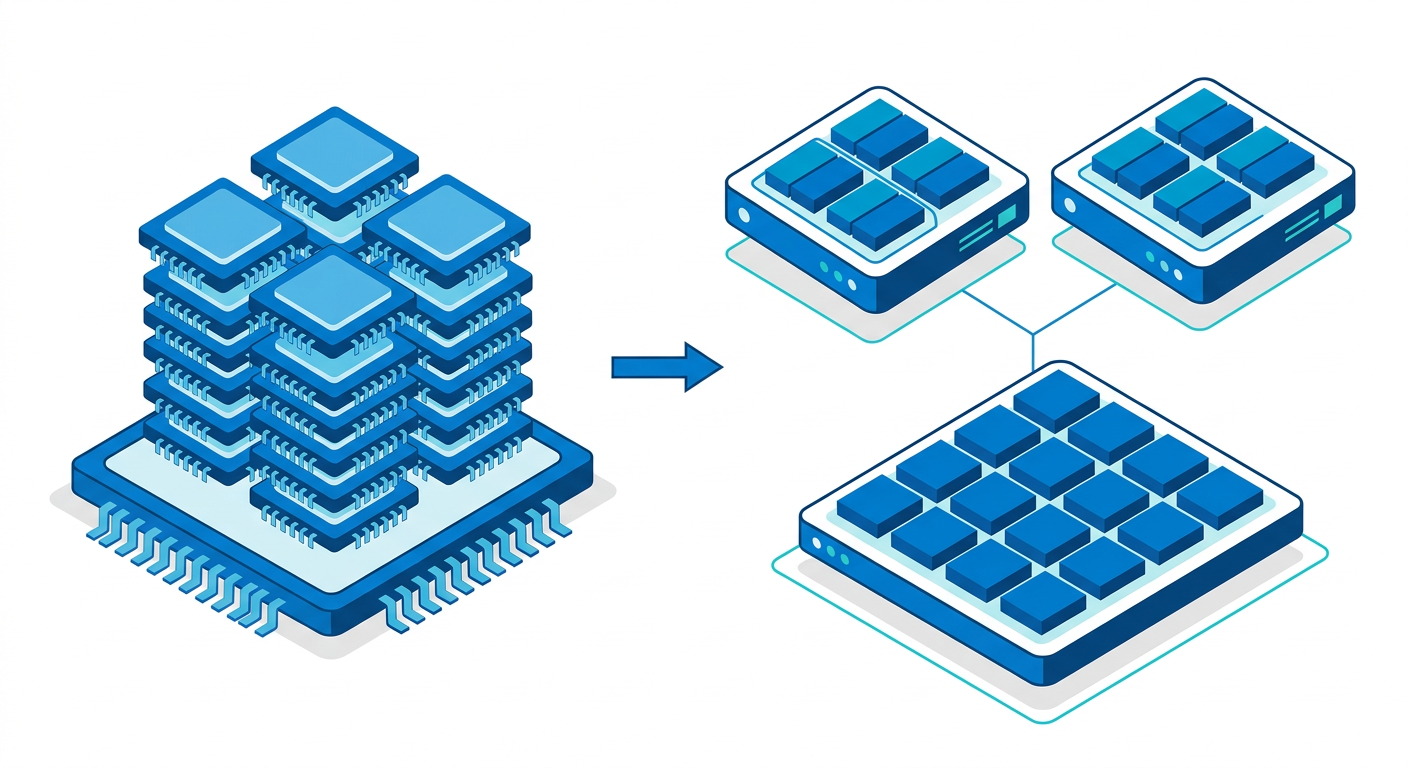
The math for applying on-premises core licenses to Azure virtual CPUs (vCPUs) is not a simple one-to-one conversion. Microsoft has specific rules that are easy to misinterpret, leading to either wasted license value or compliance gaps.
The Mistake:
Misallocating on-premises core licenses to Azure VMs without adhering to Microsoft's minimums and multiples, or failing to
Mistake #4: 🪟 Forgetting the 180-Day Dual-Use Limitation
Azure Hybrid Benefit includes a powerful feature called "dual-use rights," which is designed to facilitate migration. However, many users misinterpret this as a permanent permission to run workloads in two places at once, which can lead them out of compliance.
The Mistake:
Continuing to run a workload on an on-premises server and a new Azure VM simultaneously using the same license for longer than the permitted 180-day migration period.
Why People Do It:
- Migration Delays: Projects get delayed. Testing, data synchronization, and user cutover can take longer than planned, and the 180-day clock is forgotten.
- Misinterpretation: Some administrators believe dual-use rights are a permanent feature of a hybrid environment, allowing for active-active or disaster recovery setups without separate licensing. This is incorrect.
- Lack of Tracking: Without a formal process to track migration dates, the 180-day limit can easily pass without notice.
What It Costs You:
After 180 days, you are out of compliance. From a licensing perspective, you are using a single license to run two separate production instances of the software. If audited, Microsoft would require you to purchase a separate, full license for the second instance (either on-prem or in Azure), plus potential penalties for the period of non-compliance.
How to Avoid It: ✅
Treat the 180-day window as a hard project deadline from the moment you enable AHB for a migrating workload.
- Formal Migration Planning: Your migration plan for each server must include a
Mistake #5: 💡 Overlooking Azure Hybrid Benefit for PaaS
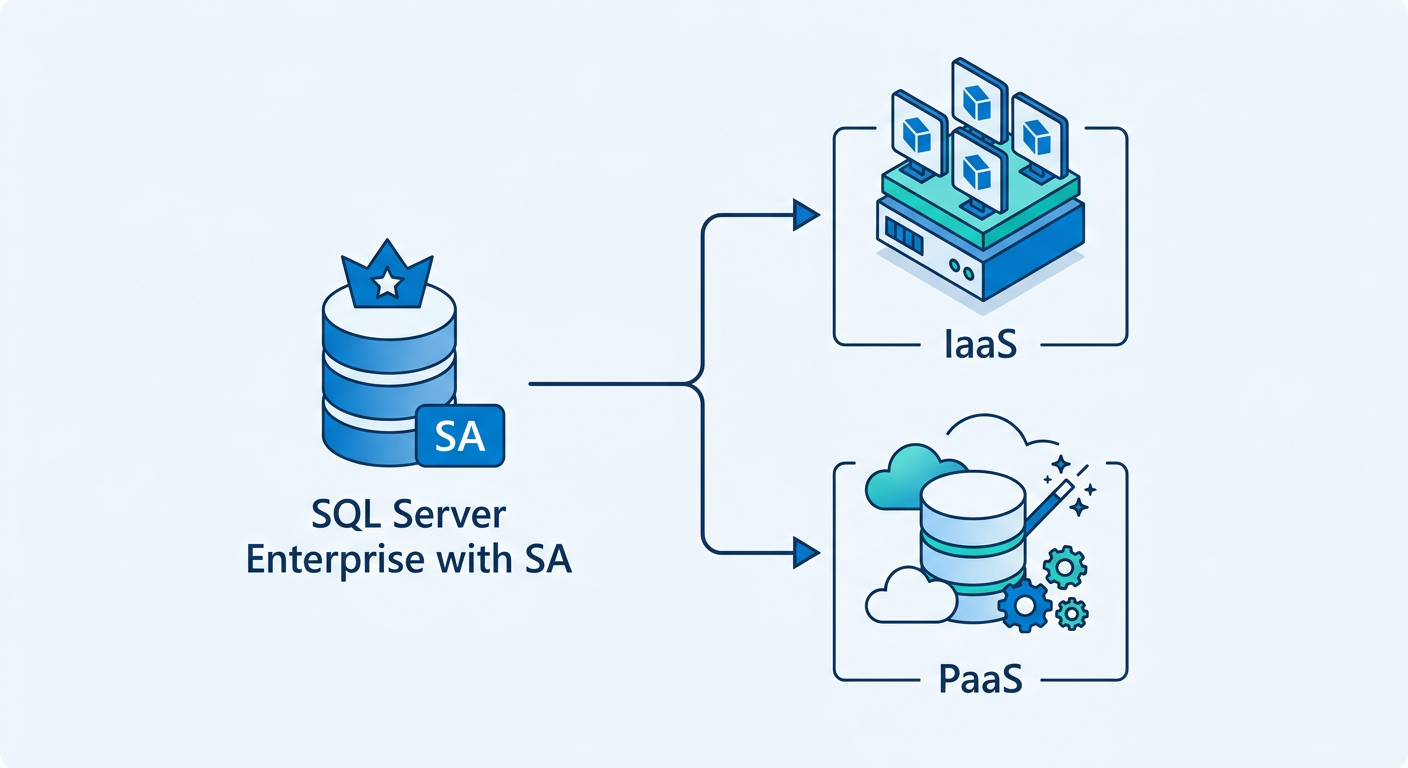
One of the most common oversights is thinking the Azure Hybrid Benefit for SQL Server applies only to running SQL Server on a virtual machine (IaaS). This causes organizations to miss out on significant cost reductions for Microsoft's managed database platform-as-a-service (PaaS) offerings.
The Mistake:
Failing to apply the Azure Hybrid Benefit to eligible PaaS services like Azure SQL Database and Azure SQL Managed Instance, and instead paying the higher "license-included" price.
Why People Do It:
- Focus on VMs: The marketing and initial documentation for AHB heavily emphasized VMs, leading many to assume it's an IaaS-only benefit.
- Different Activation Process: Activating the benefit for a PaaS database is a different toggle in a different part of the Azure portal, so users accustomed to the VM workflow might not discover it.
- Complexity of vCore Ratios: The conversion from on-prem cores to PaaS vCores has its own set of rules (which we'll cover in Mistake #8), which can deter some from investigating.
What It Costs You:
You pay a premium for your managed databases. For services like Azure SQL Managed Instance, the base compute cost is only a fraction of the total price; the rest is the embedded SQL Server license cost. Forgoing AHB here is like leaving a 40-55% discount on the table, which translates to a massive overspend, especially for business-critical, high-performance databases. This is a primary driver for Azure SQL Managed Instance cost savings.
How to Avoid It: ✅
Expand your understanding of where AHB can be applied. When planning or deploying vCore-based Azure SQL services, follow these steps:
- Check for the Benefit Toggle: When creating an Azure SQL Database or a SQL Managed Instance, on the "Compute + storage" or equivalent configuration blade, there is a dedicated section for savings where you can confirm you own eligible SQL Server licenses.
- Understand Eligibility: The benefit applies to the vCore-based purchasing models of Azure SQL Database (General Purpose, Business Critical, Hyperscale) and all tiers of Azure SQL Managed Instance. It does not apply to the older DTU-based model for Azure SQL Database.
- Audit Existing PaaS Databases: You can apply the benefit to existing resources. Regularly review your deployed Azure SQL databases. If you find any using the license-included model where you have available on-prem licenses with SA, you can edit the configuration and enable the benefit with no downtime, and the savings will apply almost immediately.
Mistake #6: 🔐 Neglecting Azure Dedicated Hosts
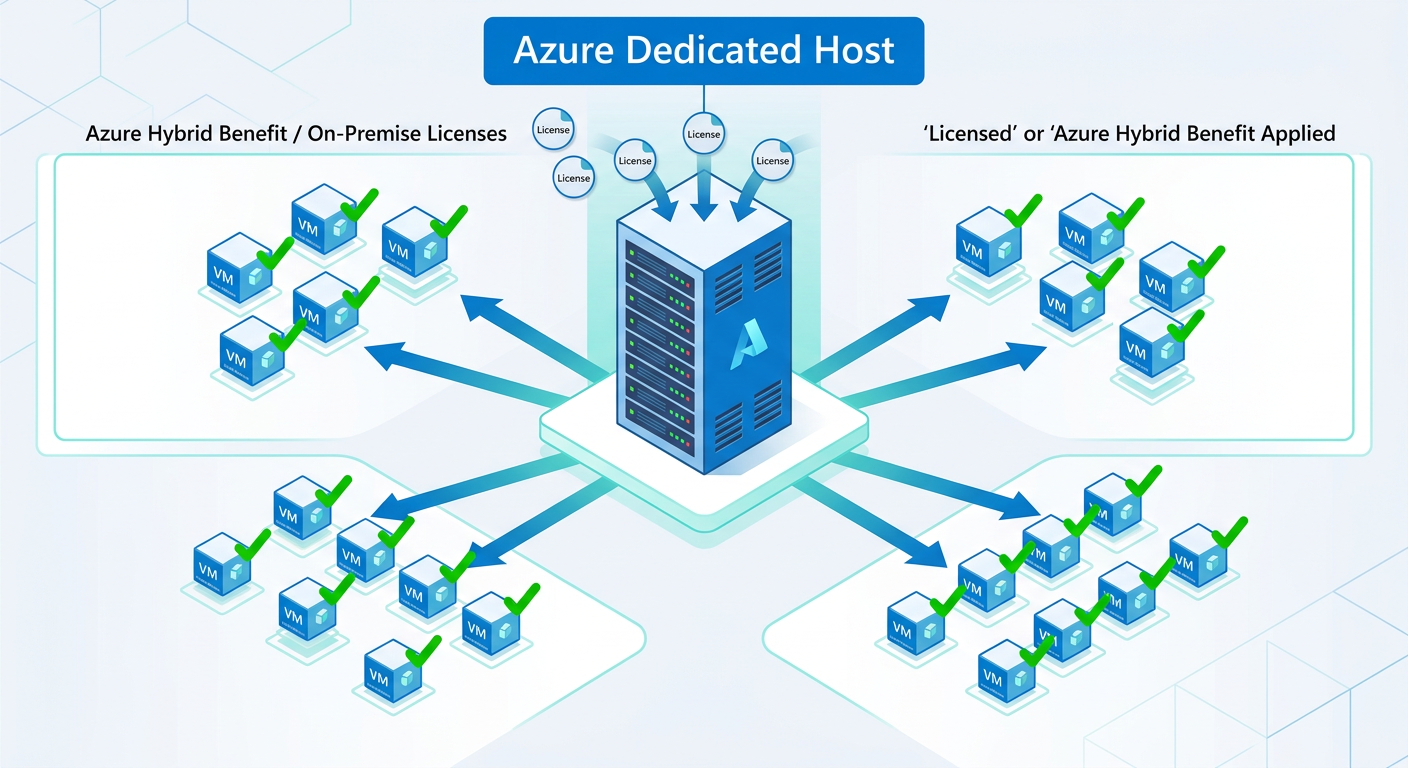
For organizations with significant data security, compliance, or specific workload requirements, Azure Dedicated Hosts provide physical servers dedicated to a single tenant. However, many fail to realize that this service offers one of the most powerful applications of the Azure Hybrid Benefit.
The Mistake:
Using Azure Dedicated Hosts and still applying the Azure Hybrid Benefit on a per-VM basis, or not using it at all, instead of licensing the entire host.
Why People Do It:
- Niche Service: Dedicated Hosts are a specialized and more expensive offering, so many IT managers are less familiar with their unique licensing perks.
- Assumption of Inapplicability: Administrators might assume that because they are paying a premium for the physical hardware, the software licensing model is the same as for multi-tenant VMs.
- Complexity of Host-Level Licensing: Calculating the number of physical cores on a host and matching them with on-prem licenses seems more complex than the per-VM approach.
What It Costs You:
A massive missed opportunity for cost efficiency at scale. If you license a Dedicated Host's physical cores with your on-prem Windows Server Datacenter or SQL Server Enterprise licenses (with SA), you gain unlimited virtualization rights on that host. This means every VM you deploy on that host is covered. By contrast, licensing per VM means paying for each license individually, which becomes prohibitively expensive on a dense host. You are essentially paying for software multiple times on hardware you've rented exclusively.
How to Avoid It: ✅
If you're using or considering Azure Dedicated Hosts, a host-level licensing strategy is critical. This is the pinnacle of Azure Dedicated Host licensing.
- License the Physical Cores: When you deploy a Dedicated Host, you pay Microsoft for the bare metal hardware rental. You can then apply your on-premises licenses with Software Assurance to cover the host's physical cores.
- Leverage Unlimited Virtualization: Once your Windows Server Datacenter licenses are applied at the host level, you can deploy as many Windows Server VMs on that host as the hardware can support, without paying any additional OS licensing cost. The same principle applies to SQL Server Enterprise core licenses, covering all SQL VMs on the host.
- Centralize License-Heavy Workloads: This makes Dedicated Hosts the most cost-effective solution for large-scale consolidation of SQL Server or Windows Server-based applications. If you have dozens of VMs, consolidating them onto a few fully licensed Dedicated Hosts can lead to dramatic savings compared to a distributed multi-tenant environment.
Mistake #7: 📊 Failing to Centrally Track and Attest
Activating the Azure Hybrid Benefit is not a "set it and forget it" task. Microsoft requires that customers periodically confirm that they have a sufficient number of eligible licenses for the benefits they are claiming. Failure to manage this process can lead to the benefit being revoked.
The Mistake:
Enabling Azure Hybrid Benefit on various resources across multiple subscriptions without a centralized tracking system or a designated owner responsible for attestation.
Why People Do It:
- Decentralized IT: In large companies, different project teams may manage their own Azure subscriptions and enable AHB independently, with no central oversight.
- Lack of Process: There is no internal process to periodically review AHB usage against the company's pool of eligible licenses with Software Assurance.
- Ignoring Notifications: Attestation reminders from Microsoft might be sent to a billing administrator or a general inbox that isn't monitored by the team responsible for license management.
What It Costs You:
Microsoft can programmatically disable the Azure Hybrid Benefit for your resources if you fail to attest to your license compliance. This means your monthly Azure bill will suddenly and unexpectedly increase as all affected VMs and databases revert to the full pay-as-you-go pricing. This can cause budget chaos and frantic scrambling to prove compliance and get the benefit reinstated.
How to Avoid It: ✅
Institute a formal governance process for your use of the Azure Hybrid Benefit.
- Centralized Tracking: Azure provides tools to help you get a unified view of your AHB usage. Use a centrally managed workbook or script to get a view of all resources across all subscriptions that have AHB enabled. Match this against your SA license inventory.
- Assign a
Mistake #8: Not Maximizing SQL Server Enterprise Licenses
All licenses with Software Assurance are valuable, but SQL Server Enterprise Edition cores are uniquely powerful within the Azure Hybrid Benefit ecosystem, especially for PaaS. Many organizations fail to take advantage of a specific conversion ratio that can deliver 4x the value in certain scenarios.
The Mistake:
Using a SQL Server Enterprise Edition core license to cover a single vCore in a SQL VM or an Azure SQL DB Business Critical instance, when it could have been used to license four vCores in a General Purpose or Hyperscale database.
Why People Do It:
- Lack of Knowledge: This 1-to-4 trade-in is a specific and lesser-known rule. Most assume the conversion is always 1-to-1 across all services.
- Siloed Decision-Making: A DBA might choose to use an Enterprise license for a VM to get a specific feature, without realizing the finance team could get much greater value by applying it elsewhere.
- Defaulting to "Best": Teams often default to using their "best" licenses (Enterprise) for their most important workloads, without performing a cost-benefit analysis of where that license provides the maximum financial leverage.
What It Costs You:
A massive opportunity cost. By using an Enterprise core on a 1-vCore SQL VM, you are wasting 75% of its potential licensing value in the PaaS world. This is a critical failure in Windows Server license optimization in Azure and its SQL counterpart. You could be licensing a much larger and more powerful PaaS database for the same on-premises license cost.
How to Avoid It: ✅
Develop a strategic approach to license allocation. Understand the different conversion values and map your licenses accordingly.
- Study the Conversion Rules: The value of a SQL Server core license with SA depends on where you apply it. The table below clarifies the exchange rate.
- Prioritize PaaS for Enterprise Licenses: For maximum value, use your SQL Server Enterprise Edition core licenses for your Azure SQL Database General Purpose or Hyperscale instances. This allows you to license large databases with fewer on-prem licenses.
- Use Standard Licenses for VMs: Use your SQL Server Standard Edition core licenses for your SQL VMs and smaller database instances where the 1-to-1 conversion is standard. This preserves your high-value Enterprise licenses for where they have the 4x multiplier effect.
This strategic mapping ensures that every license you own is delivering its maximum potential savings in the cloud.
📊 Comparison
| On-Premises License (with Software Assurance) | Can Be Used For (Azure Service) | Conversion Ratio (On-Prem Cores : Azure vCores) |
|---|---|---|
| SQL Server Enterprise Edition Core | Azure Virtual Machine (SQL Server Enterprise) | 1 : 1 |
| SQL Server Enterprise Edition Core | Azure SQL Managed Instance (Business Critical) | 1 : 1 |
| SQL Server Enterprise Edition Core | Azure SQL Database (General Purpose or Hyperscale) | 1 : 4 (Maximum Value) |
| SQL Server Standard Edition Core | Azure Virtual Machine (SQL Server Standard) | 1 : 1 |
| SQL Server Standard Edition Core | Azure SQL Managed Instance (General Purpose) | 1 : 1 |
| SQL Server Standard Edition Core | Azure SQL Database (General Purpose or Hyperscale) | 1 : 1 |